
5 steps to setup IPTV on IPTV Smarters in computer
IPTV Smarters in computer is one of the best IPTV applications which was available on Android and iOS devices before. Now there is a good news for windows users, IPTV Smarters is here. You can download IPTV Smarters for different platforms on their website: IPTV Smarters website
IPTV Smarters provides your many different features like as Live TV, Movies, and Series. But one the the interesting options you have on this app is Catch up. Catch up was only available on MAG boxes before but now some rare applications give you this option, and one the best one is IPTV Smarters. With catch up you will never lose your favorite program.
How to add IPTV channels to IPTV Smarters in computer on Windows
Step 1: As we mentioned on top you can download IPTV Smarters directly from their website, here it’s the direct download url: https://www.iptvsmarters.com/#downloads
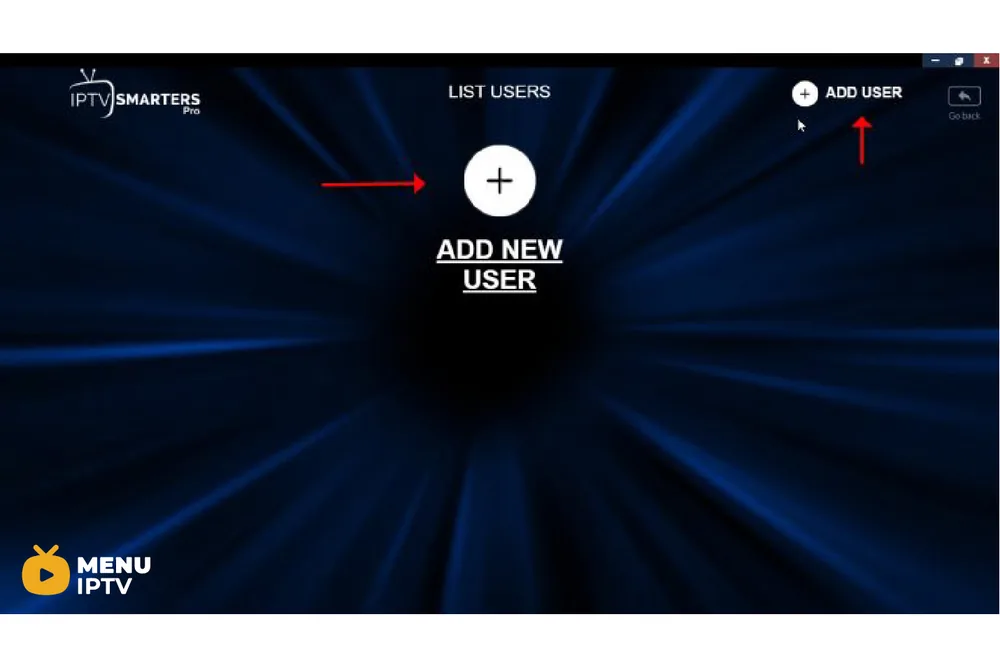
Step 2: After install and launch the software, please try to “ADD NEW USER” .
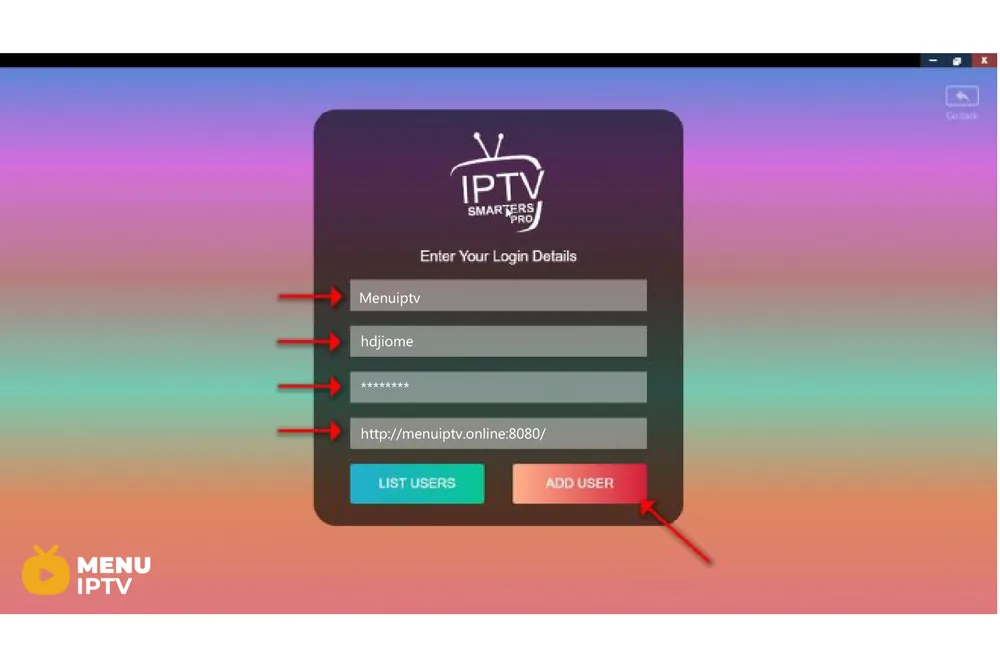
Step 3: Now you need to enter login details. Select and enter “Any name” you want in first blank. And fill Username, Password and Server url easily from the M3U url. The progressive IPTV providers give you a dashboard which you can access your M3U url in dashboard. Click on ADD USER.
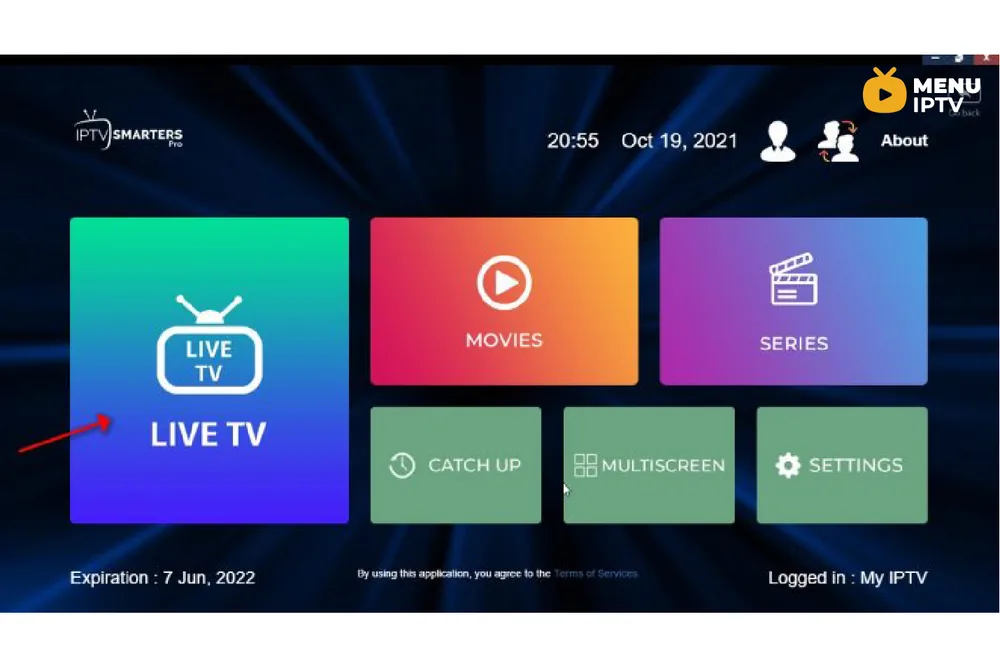
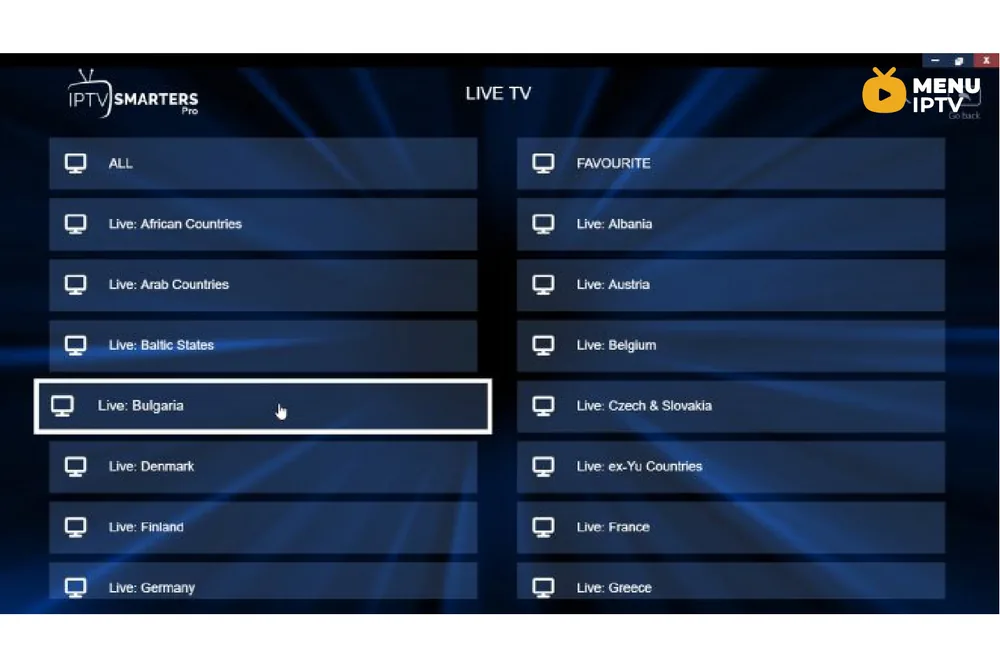
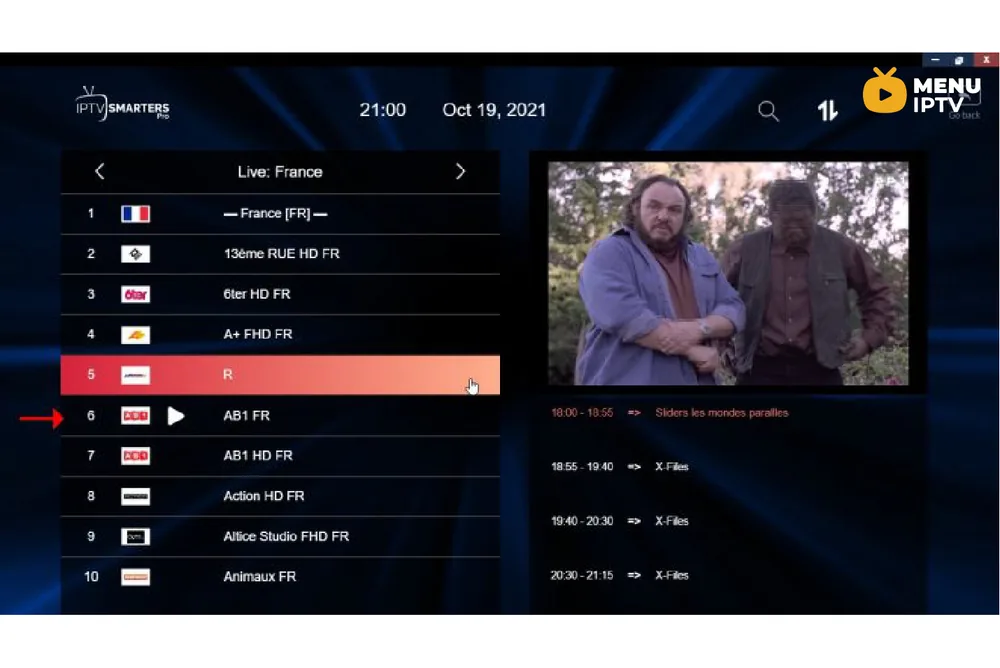
Step 4: After login, easily click on “LIVE TV” . In this step you can see the expiration date of your subscription in the bottom of page.
Step 4: Select the bouquet and Play the desirable channels.
Enjoy!
IPTV Smarters features
- Live, Movies, Series & TV
- Catchup Streaming
- Support: EPG
- Parental Control Integrated for each category
- Built-in powerful player
- Support: Playing with External Players
- Attractive & Impressive Layout and More User-Friendly
- Support: Dynamic language switching
Please feel free to comment below if need any further help. What do you think about IPTV Smarters? Please share your experiences with us.
/2024/05/30/how-to-setup-iptv-on-ibravebox-f10s
Need an IPTV subscription for this device? Get the free 24h IPTV test from Menuiptv, then pick a plan from 38 € for 6 months.