How to setup IPTV on IPTV Smarters Pro?
IPTV Smarters Pro is one of them most user friendly IPTV applications that provides your esteemed customers the facility to watch Live TV, VOD , Series , Catch-up and Multi-Screen on their Android and iOS Devices (Smartphones, Smart TV, Android Boxes and etc).
One of the most interesting features in IPTV Smarters is Catch-up.
They are not many applications which provide Catch-up, before we only has this feature in MAG boxes.
Here is the list of devices you can use IPTV Smartes Pro:
IPTV Smarters is one the best options to watch IPTV in above devices.
Another choice can be GSE Smart IPTV app.
How to setup IPTV on GSE?
Where can i download IPTV Smarters Pro?
The best and safest source to download IPTV Smarters Pro app is IPTV Smarters website, you can download the download link of app for different devices here:
https://www.iptvsmarters.com/#downloads
But we put the the guide how you can download and install IPTV Smarters Pro for different devices for you here, to can access easier and faster:
APK file for Android devices
For you Android device like Android Smartphone, Android boxes or a Smart TV with Android OS you can download the APK file IPTV Smarters Pro here directly:
https://www.iptvsmarters.com/smarters.apk
Samsung Smart TV
On the remote of your Samsung Smart TV you have a Smart HUB button, click on it and search for IPTV Smarters Pro for find the app. Version 1.0.4 is compatible for Samsung Smart TVs.
LG Smart TV
On the remote of your LG Smart TV click on Home Button and go to LG Content Store, you can search for IPTV Smarters Pro here and install it.
Version 1.0.8 is compatible for LG Smart TVs.
Google play store
Unfortunately Google play removed the app from store for now, if they add it again we will put link here.
iPhone and Apple store
You can download IPTV Smarters Pro for your iPhone, Apple TV or any other iOS device here in Apple store:
https://apps.apple.com/in/app/smarters-player-lite/id1628995509
Computer (Windows or Mac)
Here is the installation for for different operating systems on computer.
EXE file for Windows:
https://www.iptvsmarters.com/download/?download=windows_app
DMG file for Macbook:
https://www.iptvsmarters.com/download/?download=mac
Firestick
First you need to download Downloader app for Firestick (you can simply search for it in youtube how install) and IPTV Smarters Pro APK file from here.
Then Go to settings of firestick and follow this path: My Fire TV -> Developer Options -> Install from unknown apps -> Click Downloader to change the status to ON.
Open the downloader app and put the complete APK link on downloader and then install the app.
How to add IPTV channels to IPTV Smarters Pro app
You can add IPTV channels to IPTV Smarters in two methods:
- Setup via Xtream Codes API
- Setup via Playlist
We recommend setup via Xtream Codes API because you will have Catchup feature this way and also do not need to add any EPG url (it will load automatically).
Setup IPTV Smarters via Xtream Codes API
Step 1: Install the app on your device from here.
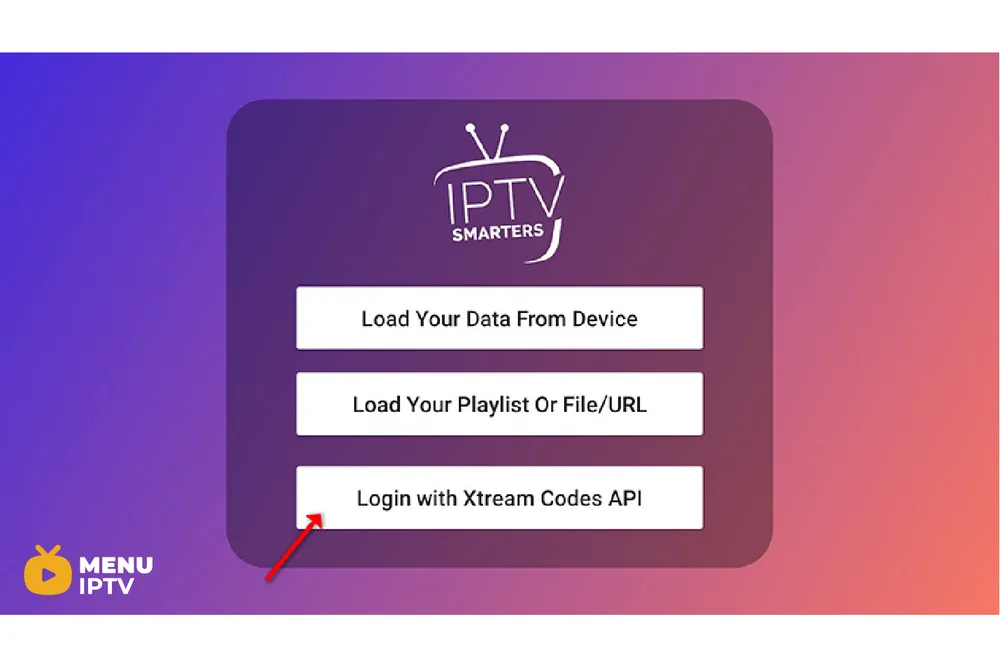
Step 2: Open the app once downloaded and click on “Add user” then click on “Login with Xtream Codes API“.
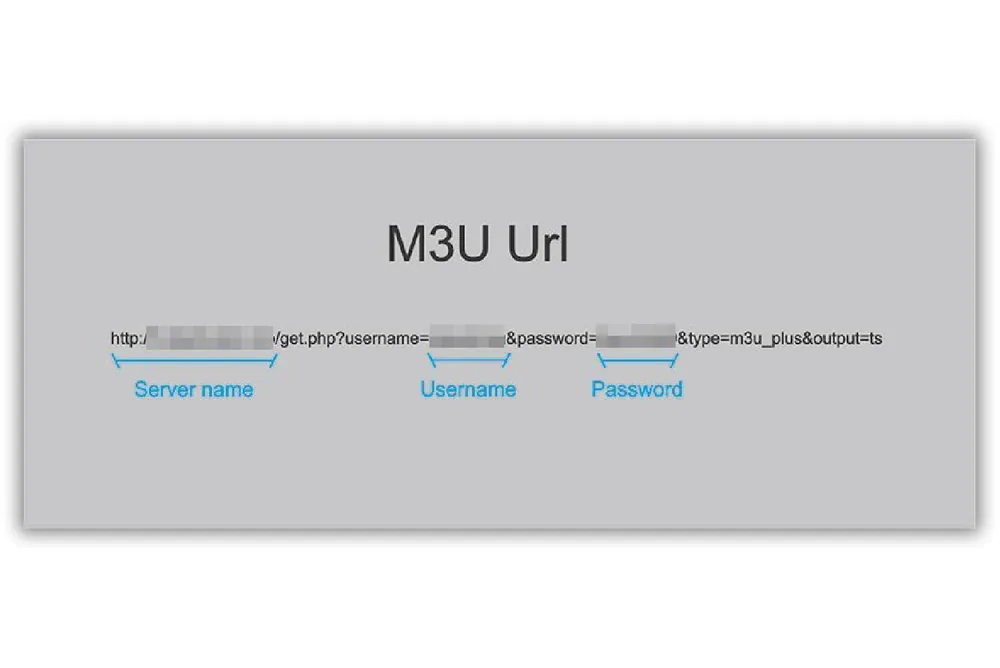
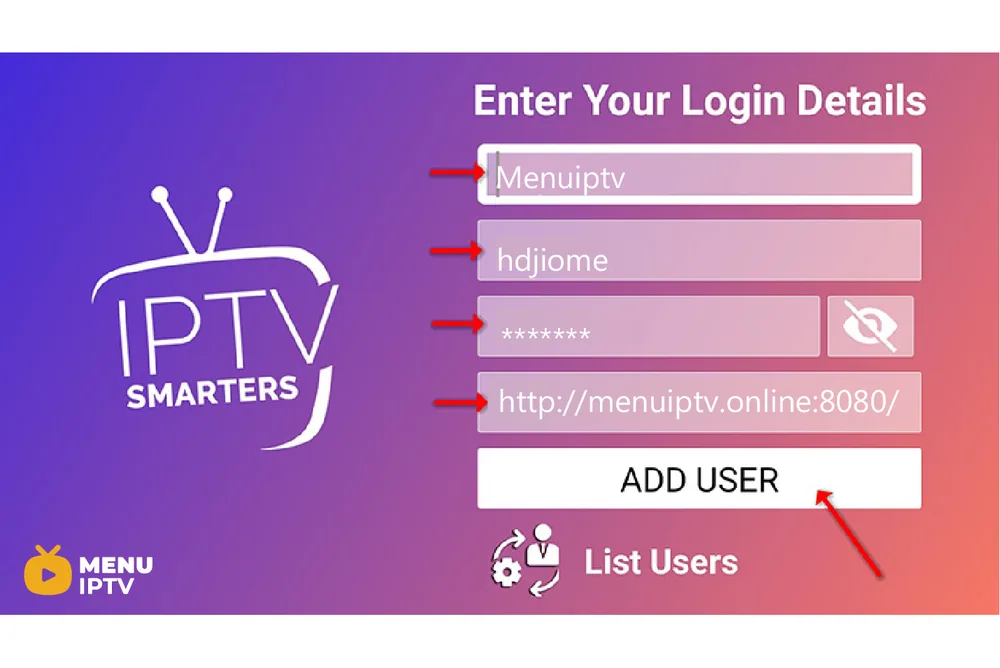
Step 3: In this step, in the first box, select any name you want for example “IPTV Xtream”. On the second and third box, enter the “Username” and the “Password” of your M3U line and the server URL which can also be found on your M3U line.
The progressive IPTV providers give you a dashboard which you can access your M3U url in dashboard.
Please note Server URL is different for Samsung and LG Smart TVs
Now Click on “ADD USER” to proceed to the next section.
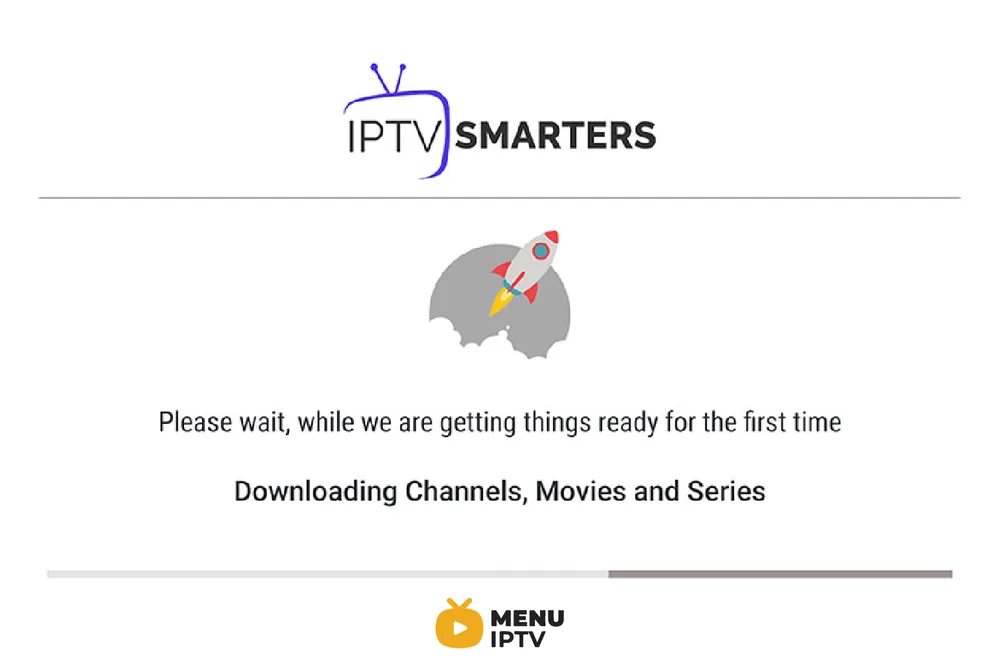
Step 4: Wait some seconds.
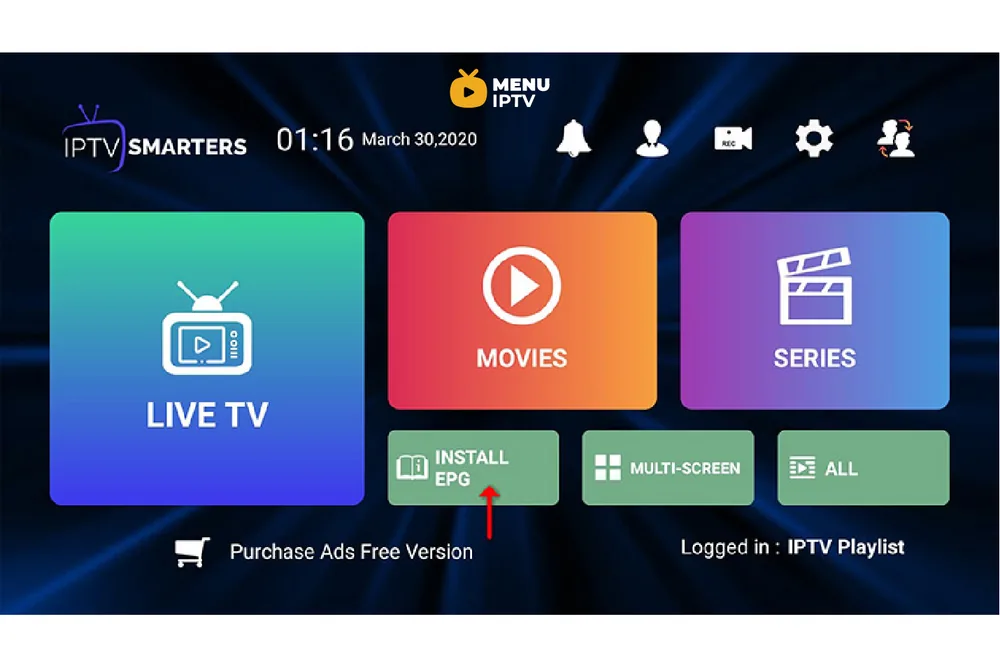
Step 5: Now click on “Live TV” icon as depicted in the image via a red arrow.
Step 6: Now you must select the channel group that you want to watch and proceed to the next section.
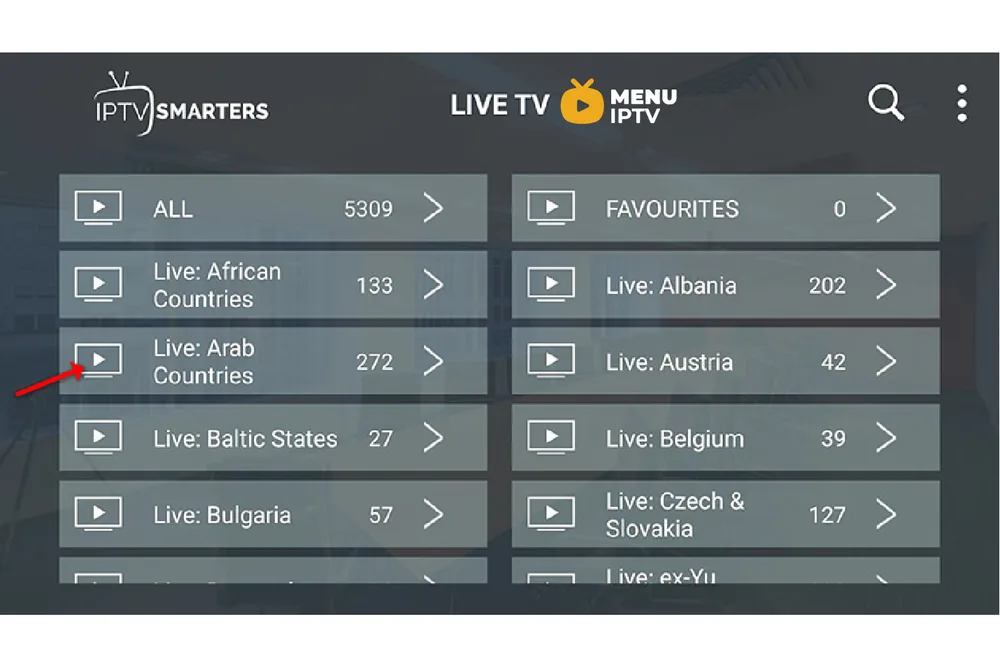
Step 7: Now you must click on the channel name and then double click on the small screen to turn into full screen as the final step.
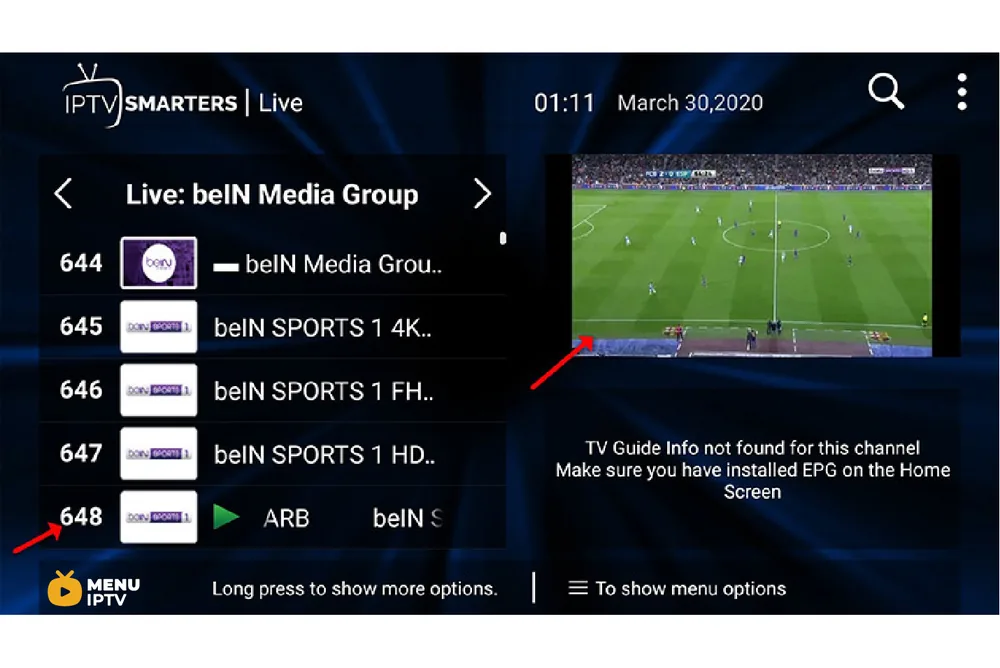
Step 8: To add EPG no need to add any EPG url, Just click on “Install EPG” .
LG and Samsung Smart TV’s
For adding channels to your IPTV Smarters app on your LG or Samsung TV you need to use a URL which is: http://smarters.link
You must also insert the username and password which you can find on your M3U link or you can simply ask from your IPTV provider.
Setup IPTV Smarters via Playlist
Step 1: Install the app on your device from here.
Step 2: Open the app once downloaded and click on “Add user” then click on “Login with Playlist“.
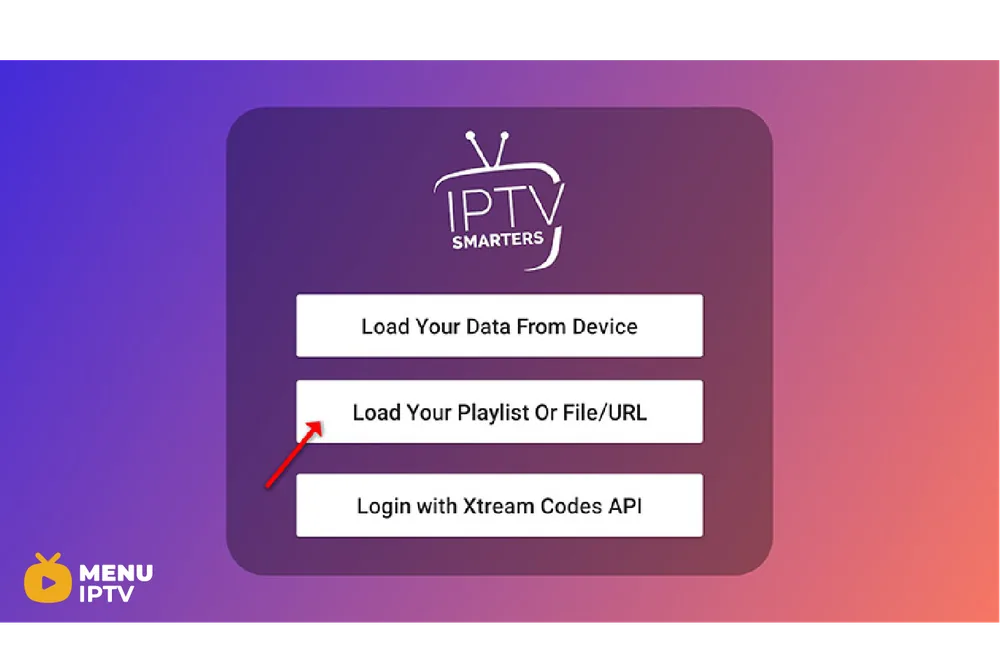
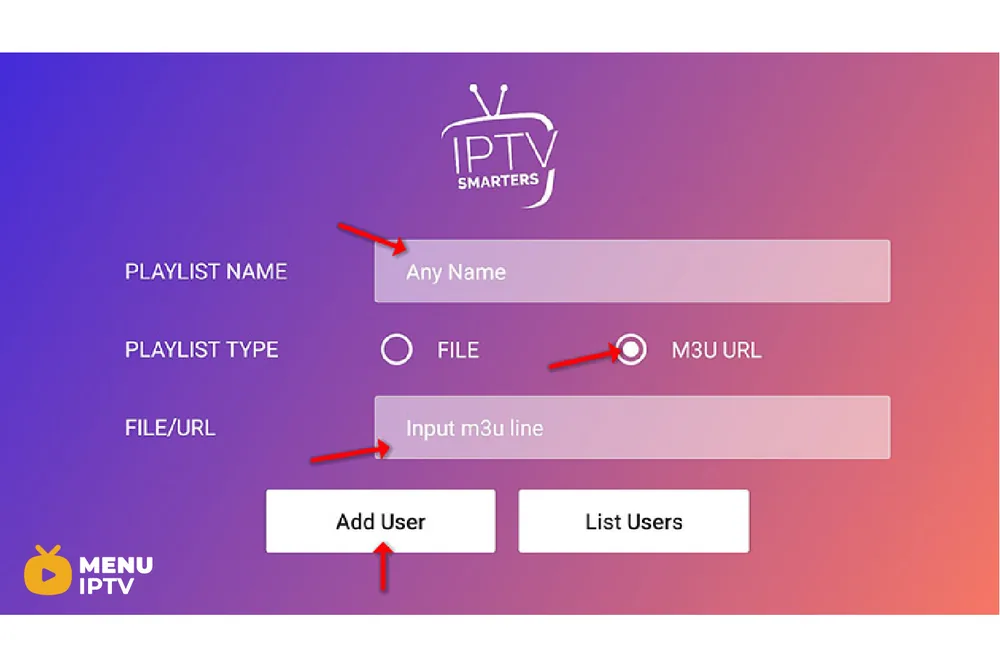
Step 3: In this step, in the first box, select any name you want for example “IPTV Playlist”.
Select “M3U URL” and enter the M3U url which you get from your IPTV provider.
The progressive IPTV providers give you a dashboard which you can access your M3U url in dashboard.
Step 4: To add EPG click on “Install EPG” and enter the EPG url.
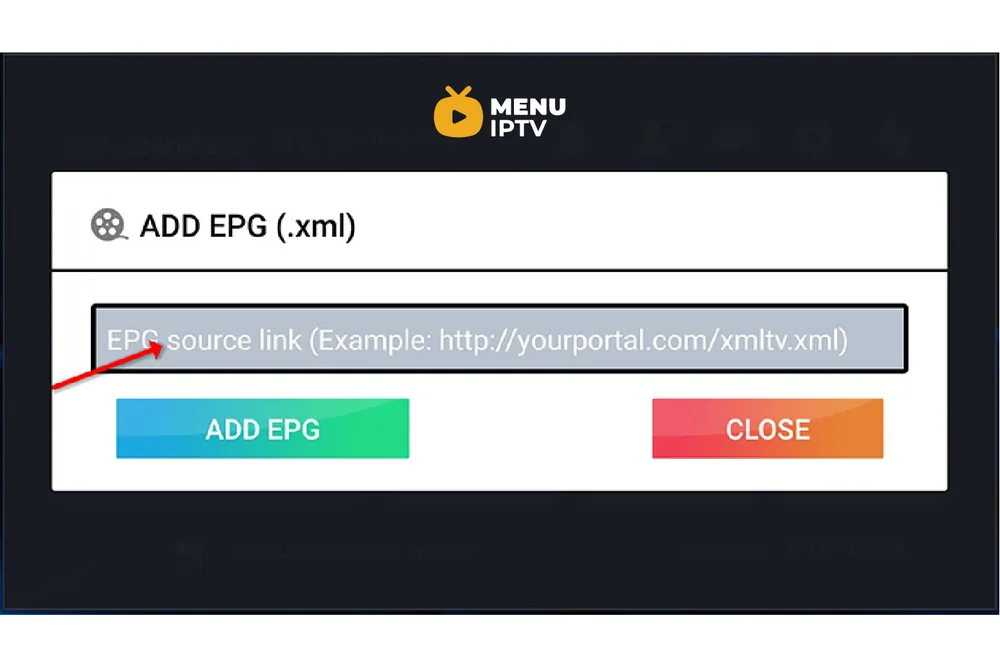
Step 5: Now click on “Live TV” icon , select channels group then channel you want to watch.
Enjoy!
IPTV Smarters features
We tried to explain two methods for having IPTV channels in IPTV Smarters in this article.
Please feel free to discuss it with us in the comment section down below.
Need an IPTV subscription for this device? Get the free 24h IPTV test from Menuiptv, then pick a plan from 38 € for 6 months.