How to setup IPTV on Formuler box via MYTV Online app
In this tutorial, we are going to show you how to bring IPTV channels to your MYTV Online on FormulerZ.
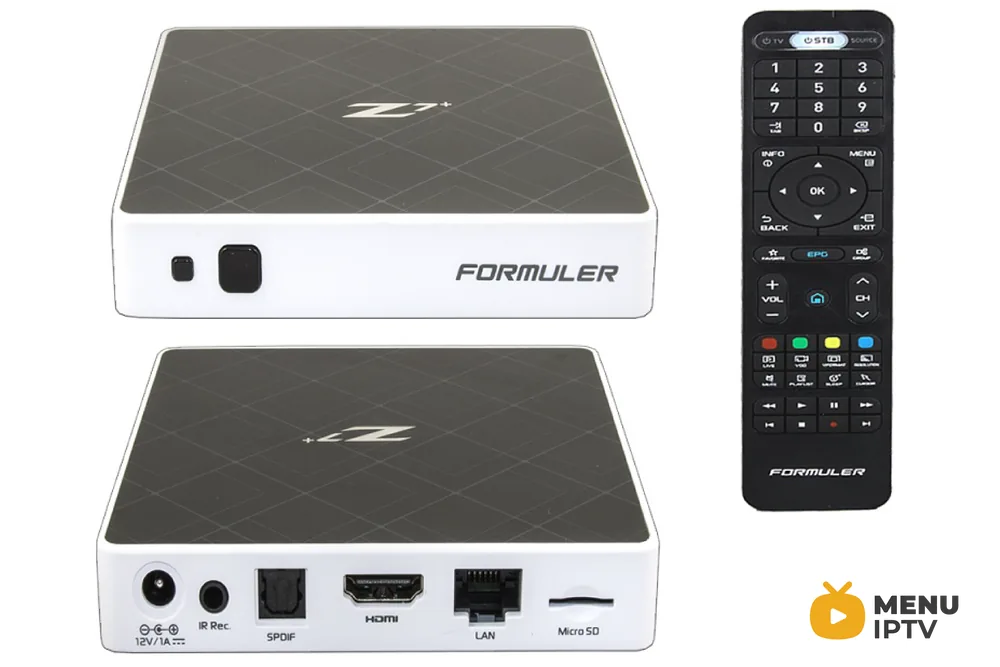
The FormulerZ is the latest mixture of an IPTV receiver and an Android media player. The FormulerZ is Android based, so it can play the newest versions of all available apps on your device.
Important tip before starting tutorial:
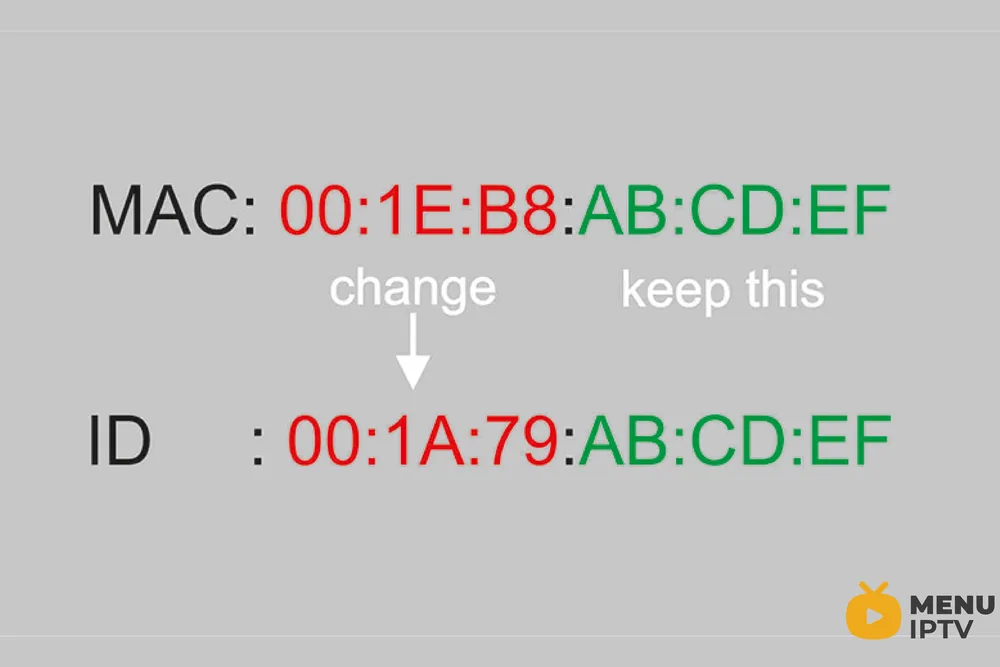
The FormulerZ Boxes have both Mac and ID, you can find the MAC address in the catalog of device or in the back of box.
It is number like this MAC: 00:1E:B8:XX:XX:XX , to change it to box ID you need to replace 6 first digit and make it like this ID: 00:1A:79:XX:XX:XX .
How to bring IPTV channels to your FormulerZ
This tutorial can be used for all model of formuler boxes includes: FormulerZ1 & Formuler Z7+ .
Step 1: Start by downloading MyTVOnline app form the Google Play store and then open MYTV Online.
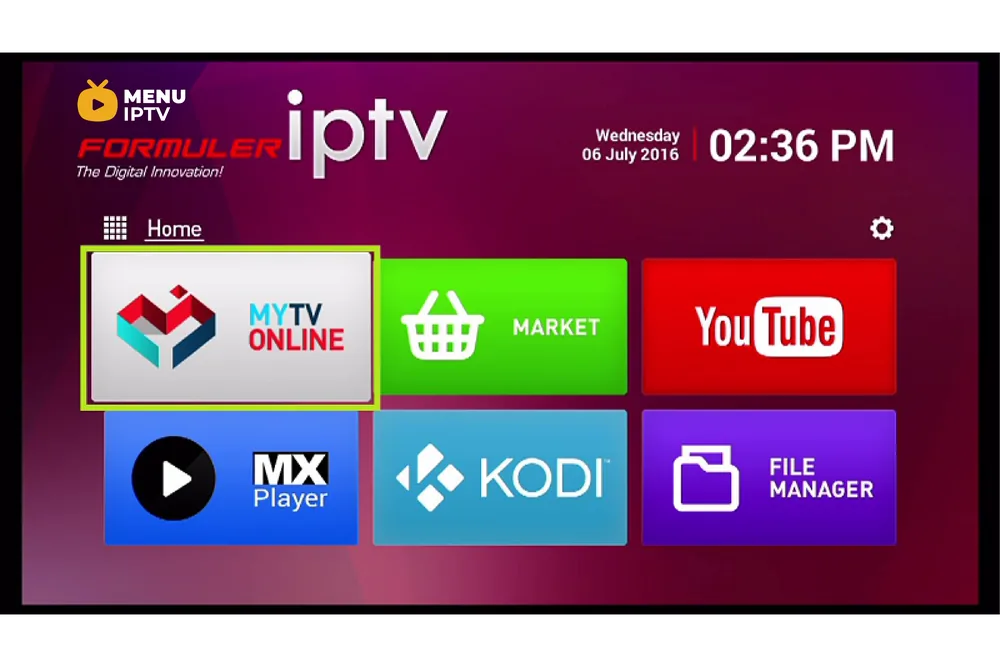
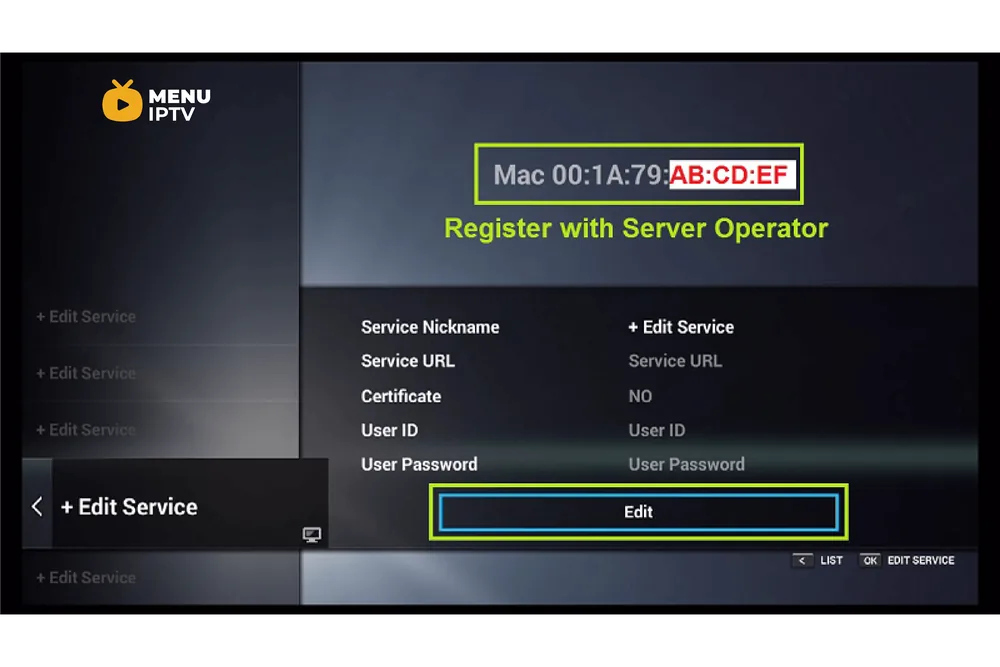
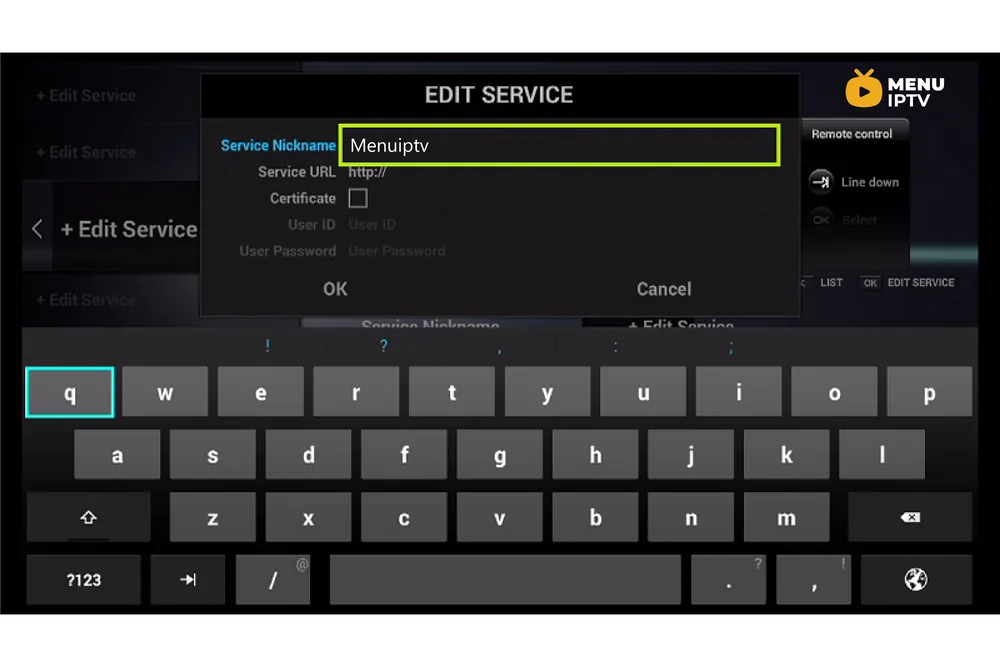
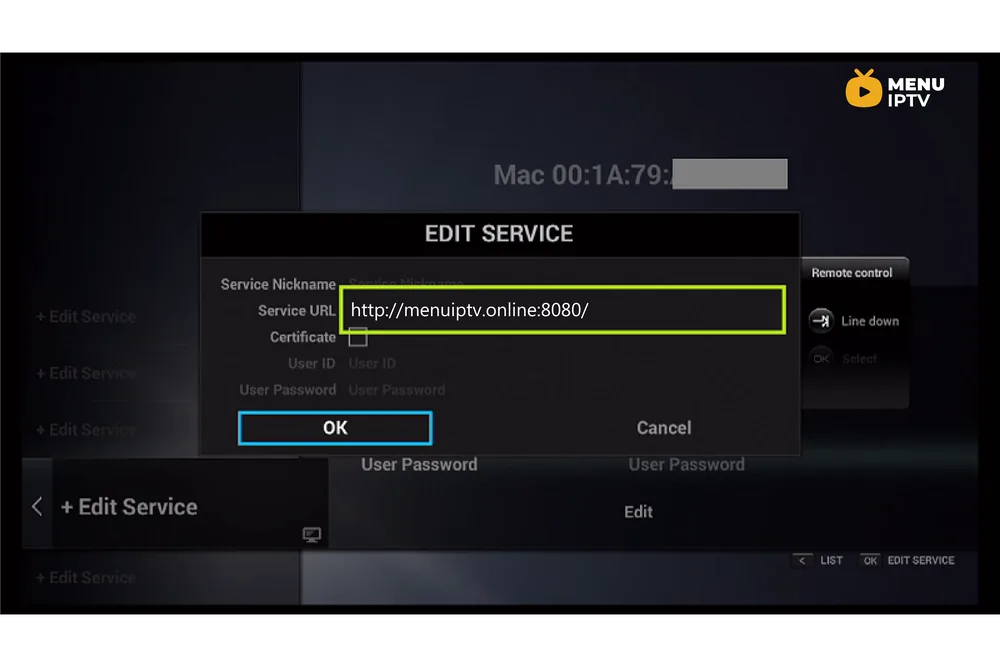
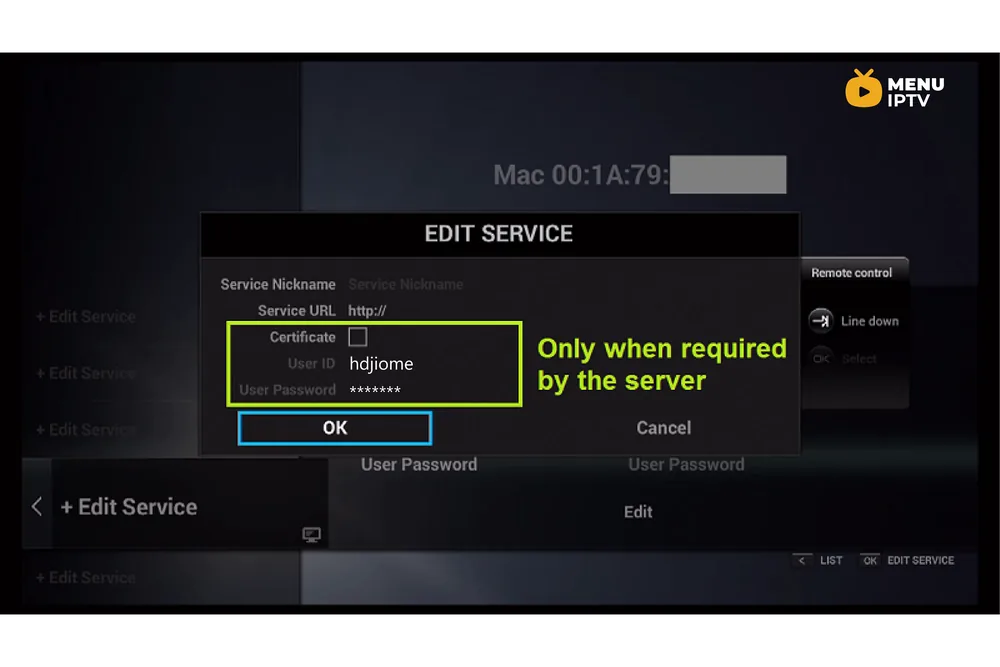
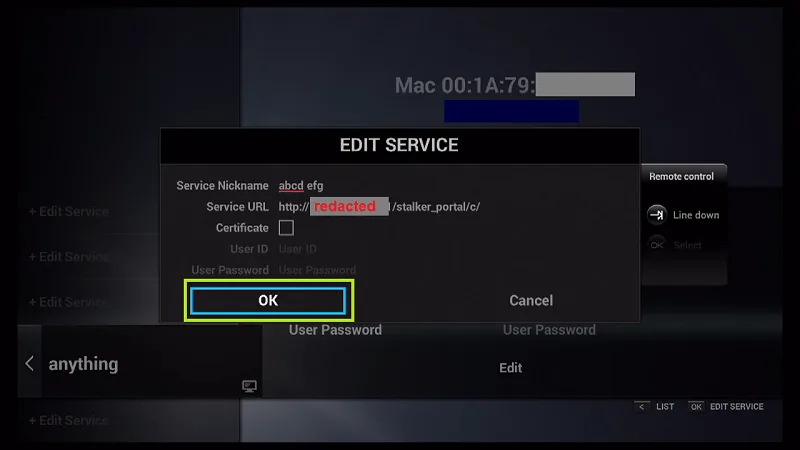
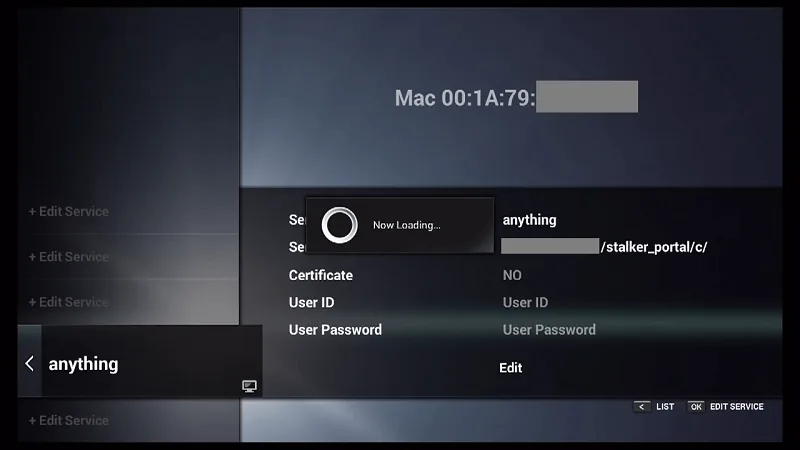
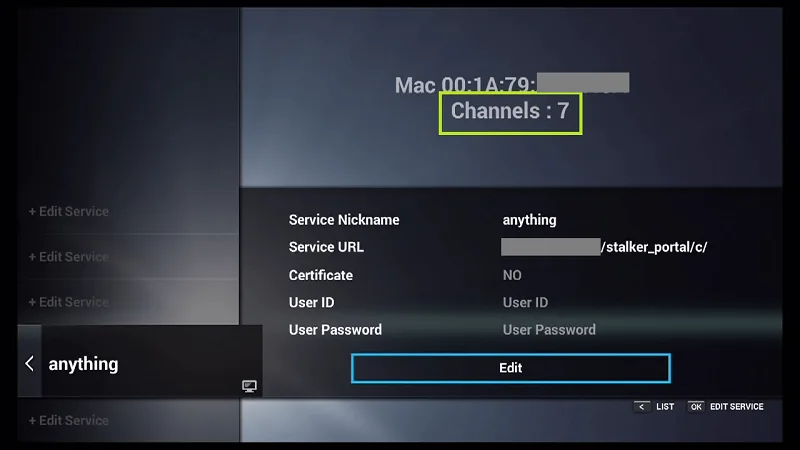
Step 2: Now click on “Edit Service” and then click “Edit“.
Note: Be sure you register with your right ID Address (Do not use the MAC address). You can check important tip for more information.
Please note, this mac address must be given to your IPTV provider.
Add the ID as MAG and use MAG portal.
Conclusion
There you have. MyTV Online is a great addition to Enigma2 based devices and goes great along with Xtream PluginTV on your Enigma2 device. For adding extra content and improving the quality of this guide, feel free to submit a comment down below and this helps out. Thank you.
Need an IPTV subscription for this device? Get the free 24h IPTV test from Menuiptv, then pick a plan from 38 € for 6 months.