How to setup IPTV on IPTV Extreme
Introduction to IPTV Extreme
In this tutorial, we will explain how to set up the IPTV Extreme Pro app on your Android device. It's a very handy player and has many performance tuning options. First, you’ll need to add a Playlist by inserting an M3U link or selecting a previously saved playlist file.
Downloading IPTV Extreme
Download the IPTV Extreme or IPTV Extreme Pro from the Google Play Store.
- Free Version – play.google.com/store/apps/details?id=com.pecana.iptvextreme&hl=en_GB
- Paid Version – play.google.com/store/apps/details?id=com.pecana.iptvextremepro&hl=en_GB
How to Add IPTV Channels to IPTV Extreme Pro
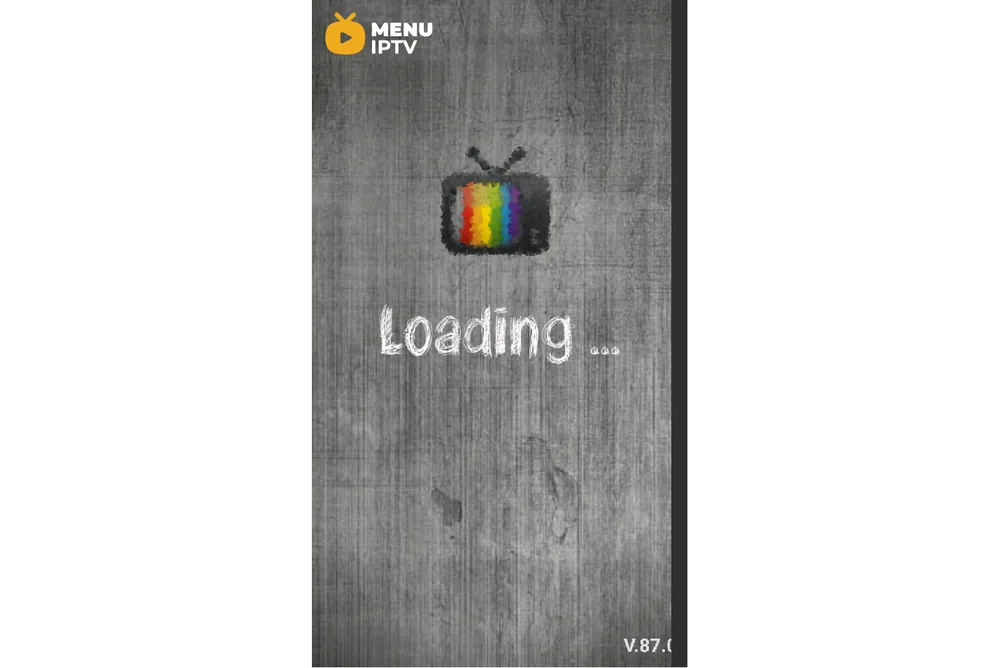
Step 1: After downloading the version of your choice, start the application and wait for it to load up.
Step 2: Now click on the three dots on the upper right corner of your screen.
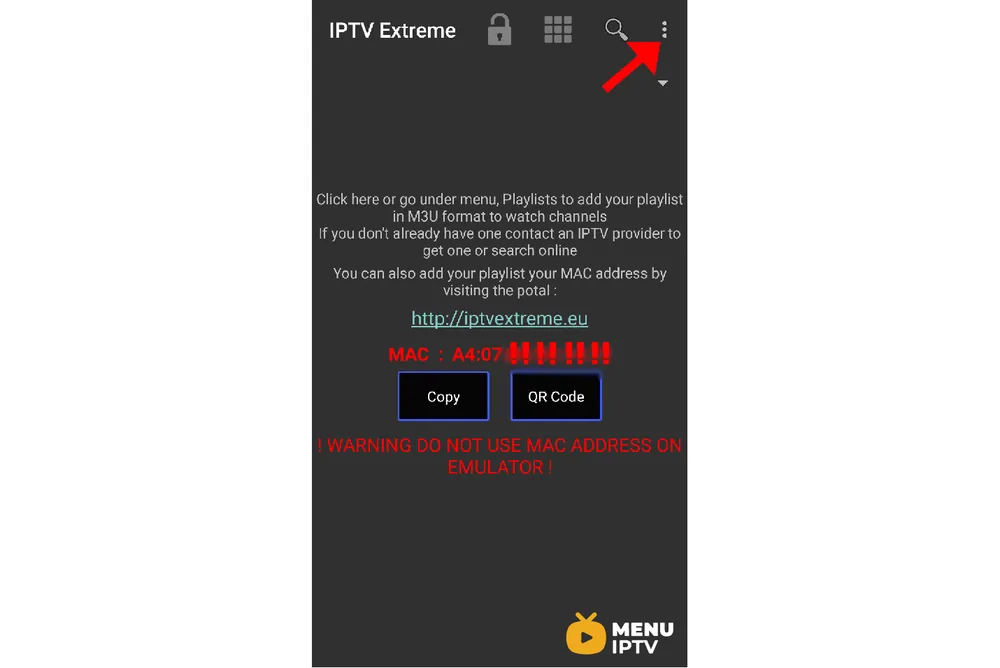
Step 3: Now select “Playlists” as depicted via a red arrow.
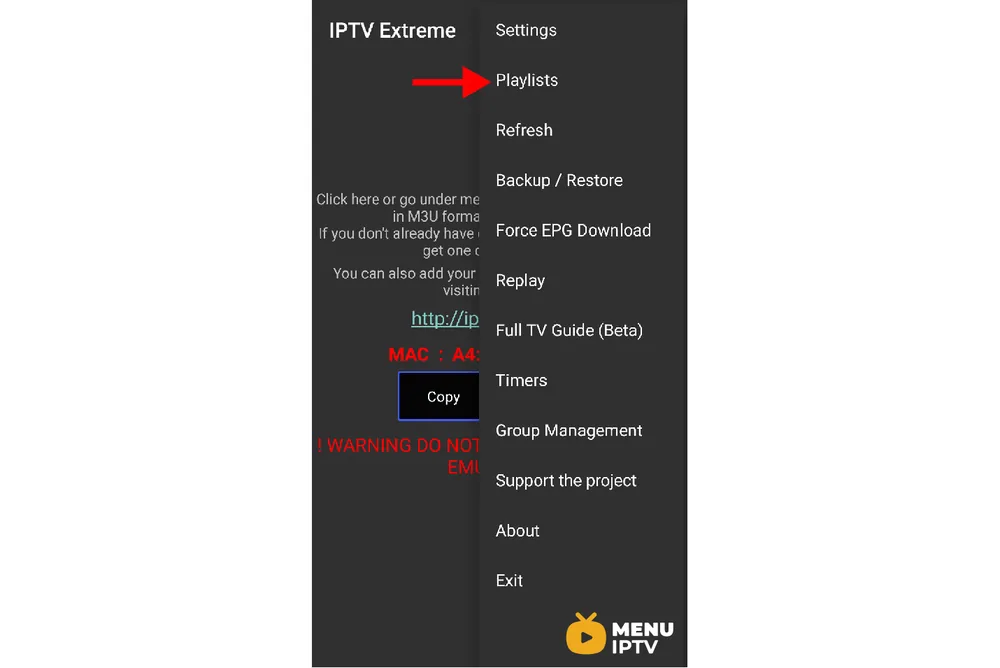
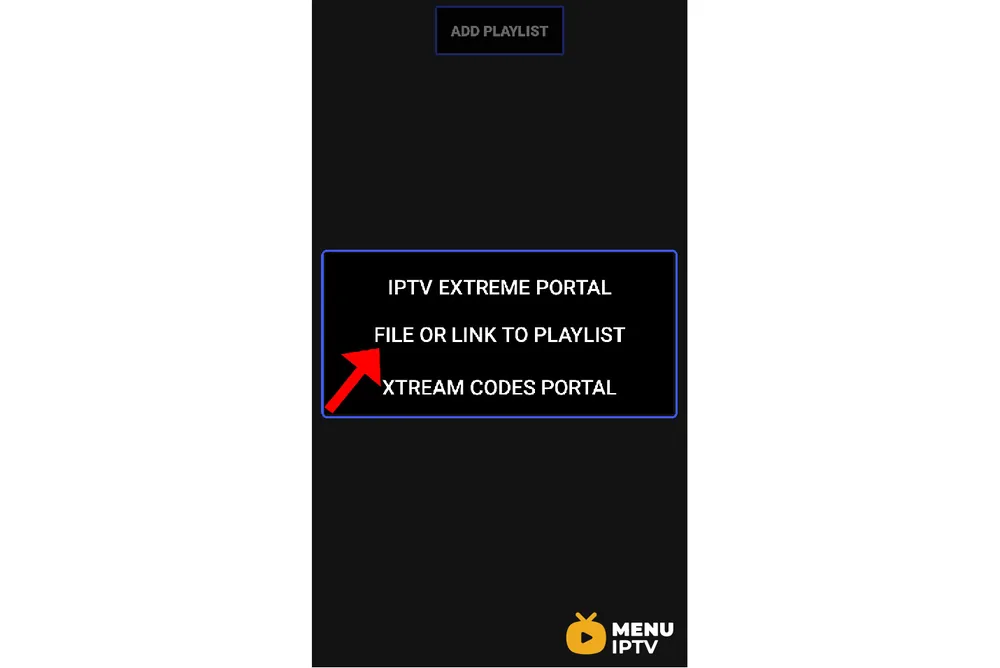
Step 4: Now click on “ADD PLAYLIST” and proceed to the next section.

Step 5: Now select “FILE OR LINK TO PLAYLIST“.
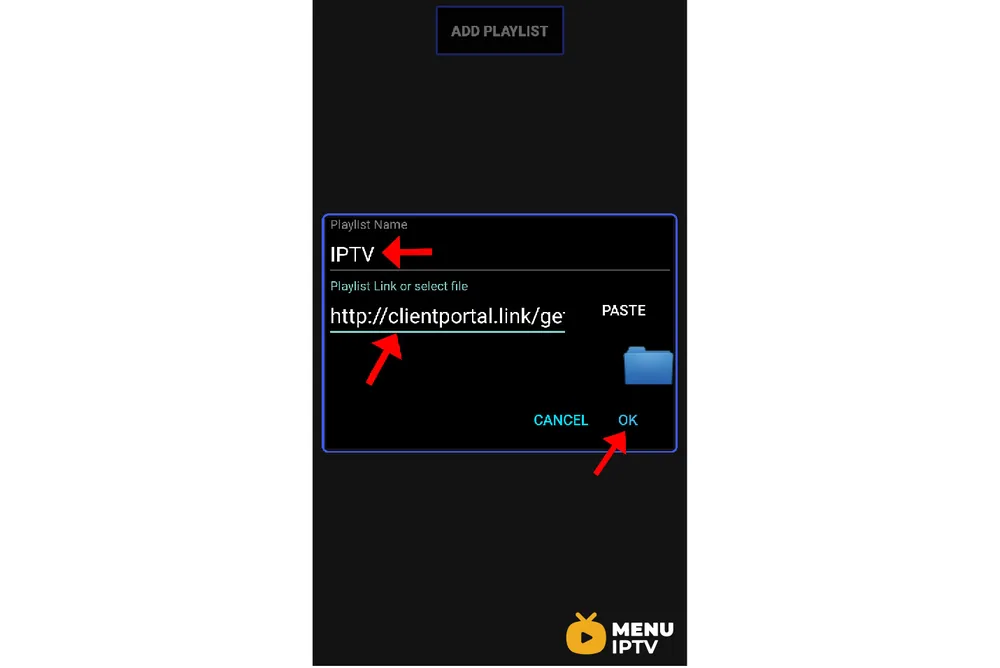
Step 6: Now you must enter a name for your playlist and then insert your M3U URL which you can obtain from an IPTV provider and click on “OK“.
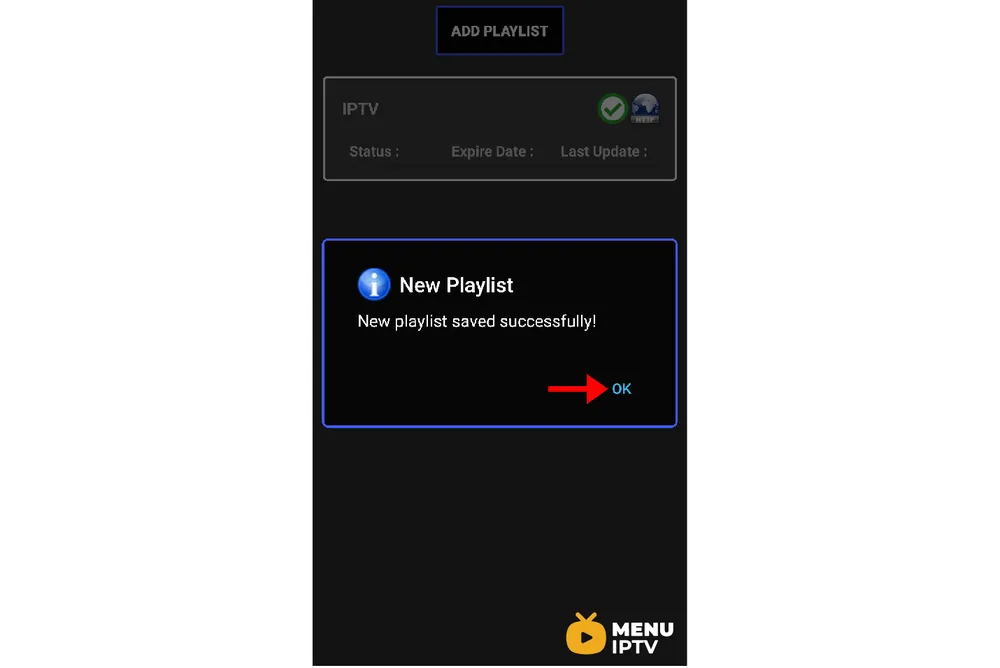
Step 7: Now you must wait for the app to load the playlist. This might take a few minutes.
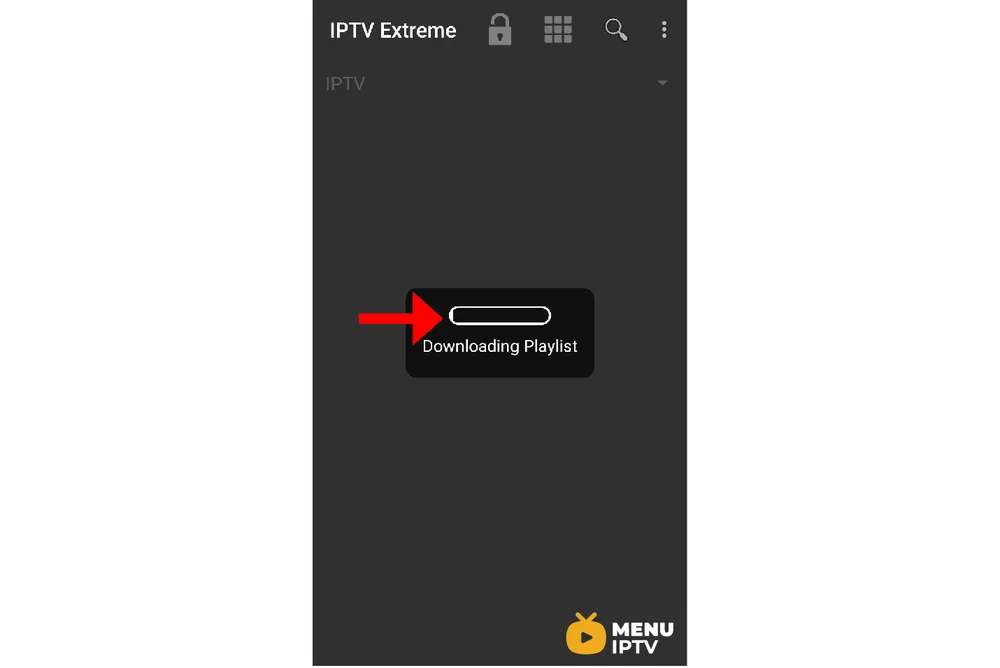
Step 8: Now click on the “OK” and proceed to the next step.
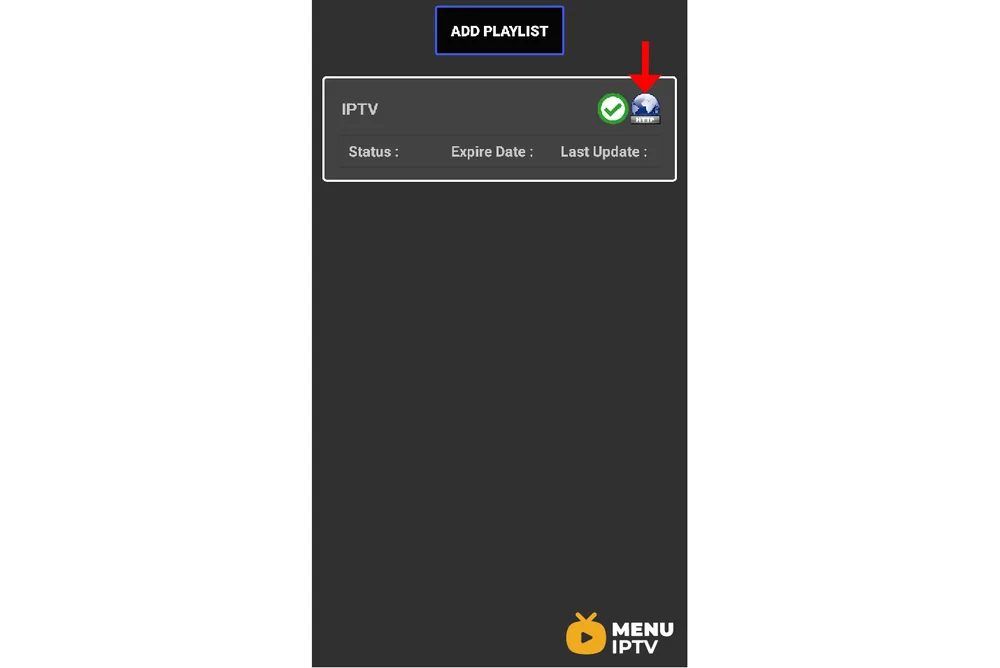
Step 9: Now click on the playlist you just added.
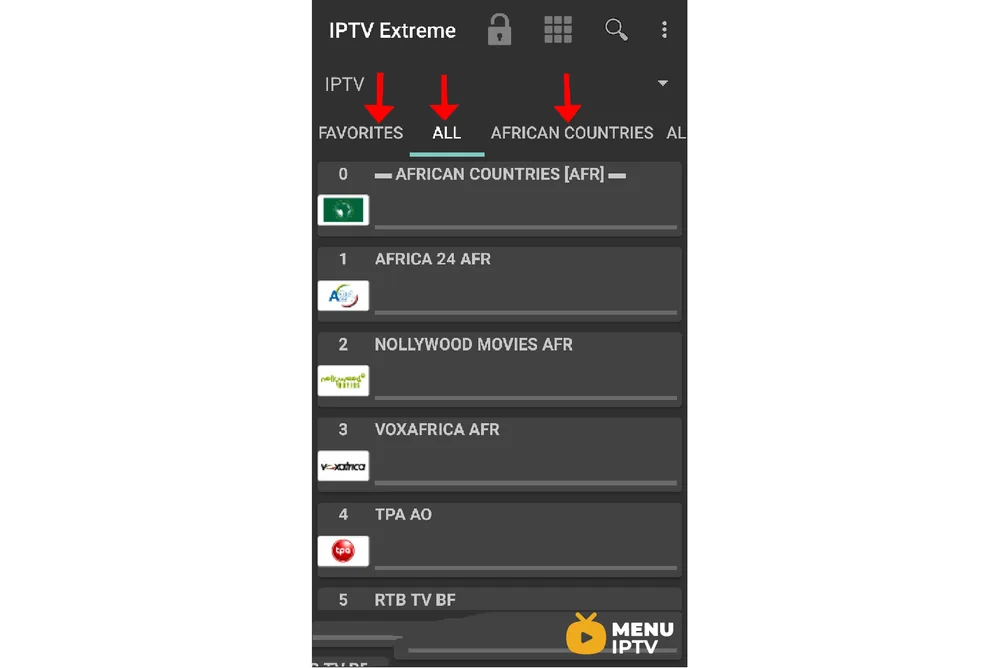
Step 10: Now you can select each channel group as depicted via red arrows and start streaming.
Advanced Features of IPTV Extreme
EPG Integration
One of the standout features of IPTV Extreme Pro is its support for multiple EPG sources. This allows users to have a comprehensive TV guide that covers all their favorite channels.
The app also supports auto EPG updates, ensuring that your TV guide is always up-to-date.
Chromecast Support
IPTV Extreme Pro supports Chromecast, allowing users to cast their favorite IPTV channels to their TV. This feature is currently in beta but offers a great way to enjoy IPTV on a larger screen. Make sure your devices are connected to the same network for seamless casting.
Optimizing Your IPTV Extreme Experience
Performance Tuning Options
IPTV Extreme Pro comes with numerous performance tuning options that allow users to optimize their streaming experience. You can adjust buffer size, choose different decoders, and manage other settings to ensure smooth playback without interruptions.
Parental Control
The app includes a robust parental control feature, which lets you restrict access to certain channels. This is particularly useful for families with children, ensuring that they only watch age-appropriate content.
Troubleshooting Common Issues with IPTV Extreme
Buffering and Playback Issues
If you experience buffering or playback issues, check your internet connection first. A stable and fast connection is crucial for smooth streaming. You can also try adjusting the buffer size in the app’s settings to see if that improves performance.
Loading Playlist Errors
If your playlist does not load correctly, ensure that the M3U URL is accurate and active. Double-check the link provided by your IPTV provider and try reloading the playlist. If issues persist, contact your IPTV provider for further assistance.

Why Choose IPTV Extreme Pro?
Comprehensive Features
IPTV Extreme Pro offers a comprehensive set of features that make it a top choice for IPTV streaming. From advanced EPG support to performance tuning options, it provides everything you need for an optimal IPTV experience.
User-Friendly Interface
The app’s user-friendly interface ensures that even beginners can navigate and use it without any hassle. The layout is intuitive, and the settings are easy to manage, making it accessible for users of all levels.
Getting the Most Out of IPTV Extreme
Regular Updates
Keep your IPTV Extreme app updated to the latest version to enjoy new features and improvements. Regular updates also ensure better compatibility with the latest video formats and streaming protocols.
Exploring All Features
Take the time to explore all the features IPTV Extreme offers. From parental controls to Chromecast support, the app is packed with functionalities that can enhance your IPTV experience. Experiment with different settings to find what works best for you.
By following these steps and tips, you can maximize your use of IPTV Extreme Pro and enjoy a seamless streaming experience. Let us know in the comments section below about your opinion and feedback concerning this article. Thank you in advance.
Need an IPTV subscription for this device? Get the free 24h IPTV test from Menuiptv, then pick a plan from 38 € for 6 months.