10 steps to setup IPTV on IPTV Extreme

How to add IPTV channels to IPTV EXTREME PRO

Step 1: After downloading the version of your choice, start the application and wait for it to load up.

How to setup IPTV on IPTV Extreme
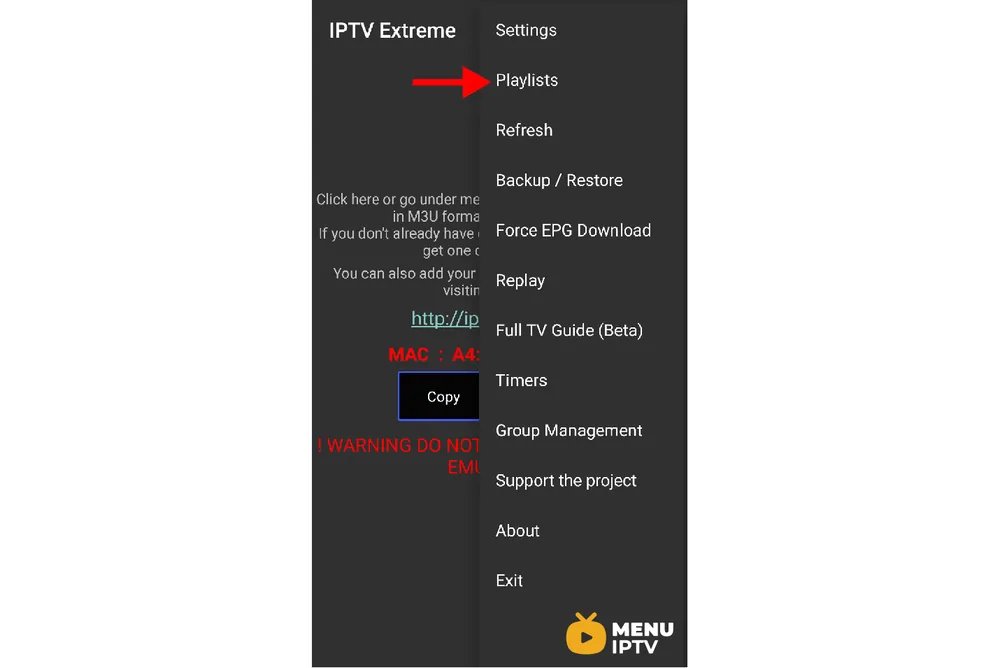
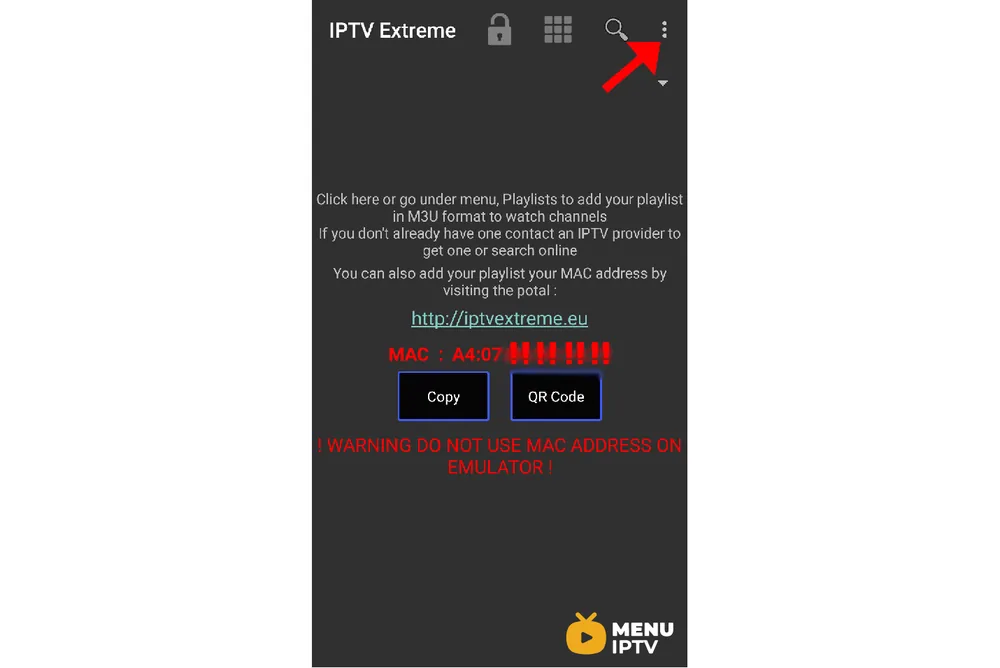
Step 2: Now click on the three dots on the upper right corner of your screen.
How to setup IPTV on IPTV Extreme
Step 3: Now select “Playlists” as depicted via a red arrow.
How to setup IPTV on IPTV Extreme
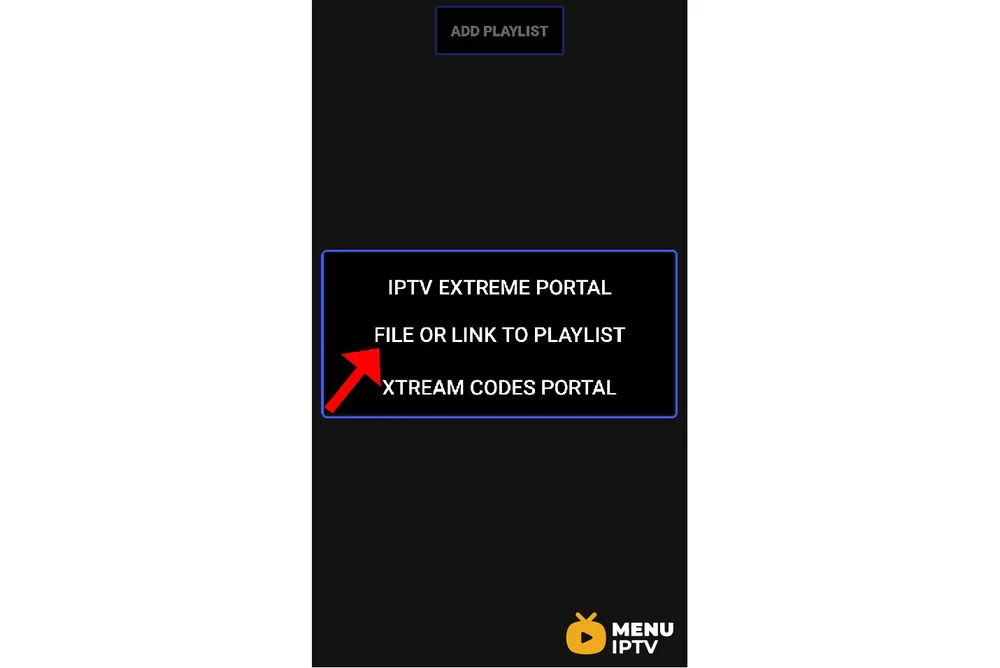
Step 4: Now click on “ADD PLAYLIST” and proceed to the next section.
How to setup IPTV on IPTV Extreme
Step 5: Now select “FILE OR LINK TO PLAYLIST“.
How to setup IPTV on IPTV Extreme
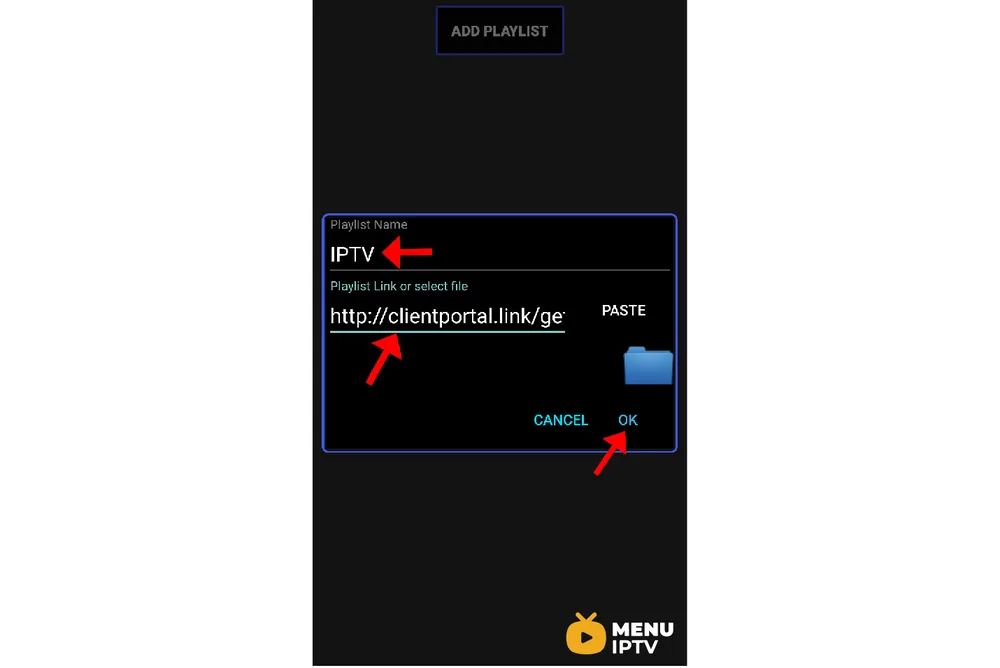
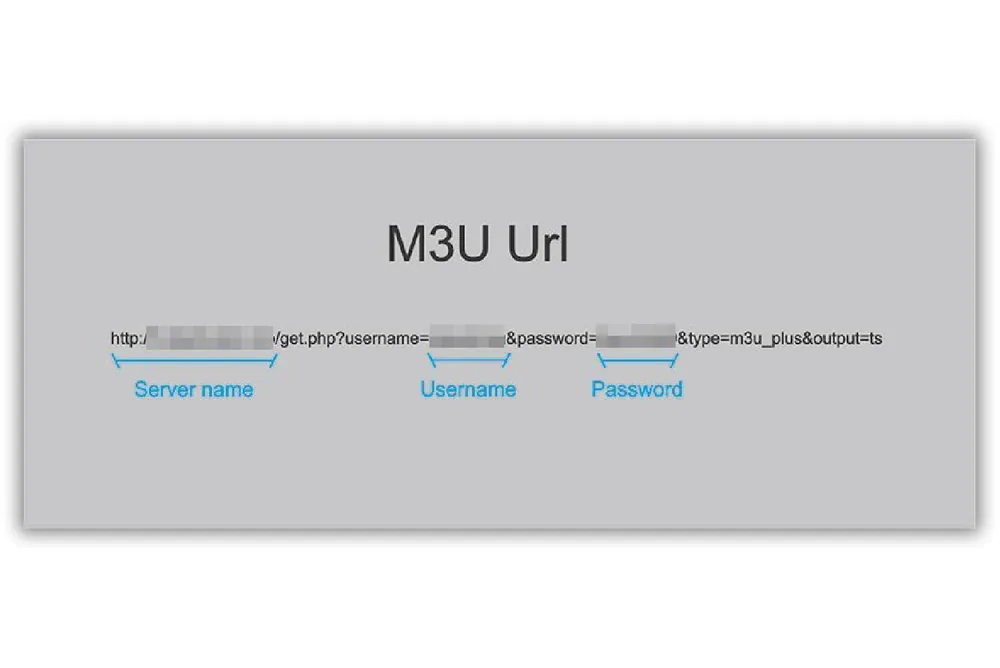
Step 6: Now you must enter a name for your playlist and then insert your M3U URL which you can obtain from an IPTV provider and click on “OK“.
How to setup IPTV on IPTV Extreme
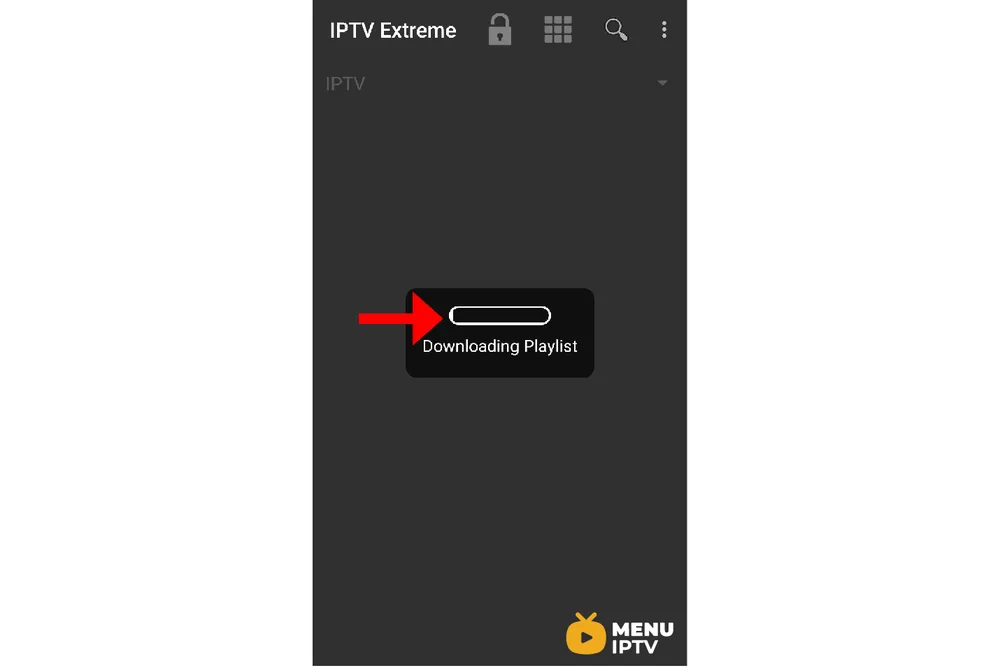
Step 7: Now you must wait for the app to load the playlist. This might take a few minutes.
How to setup IPTV on IPTV Extreme
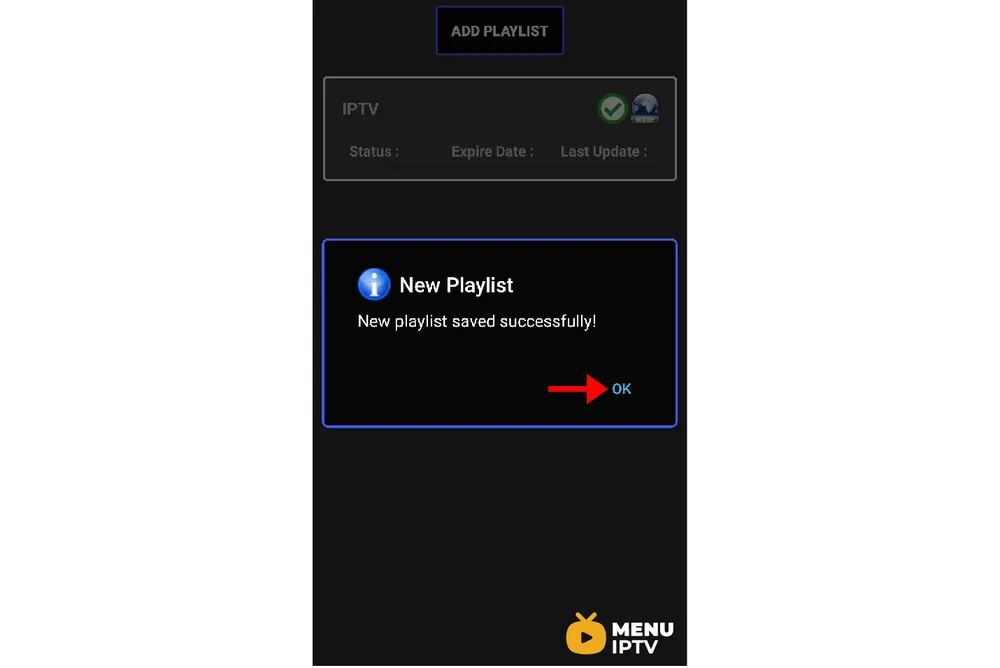
Step 8: Now click on the “OK” and proceed to the next step.
How to setup IPTV on IPTV Extreme
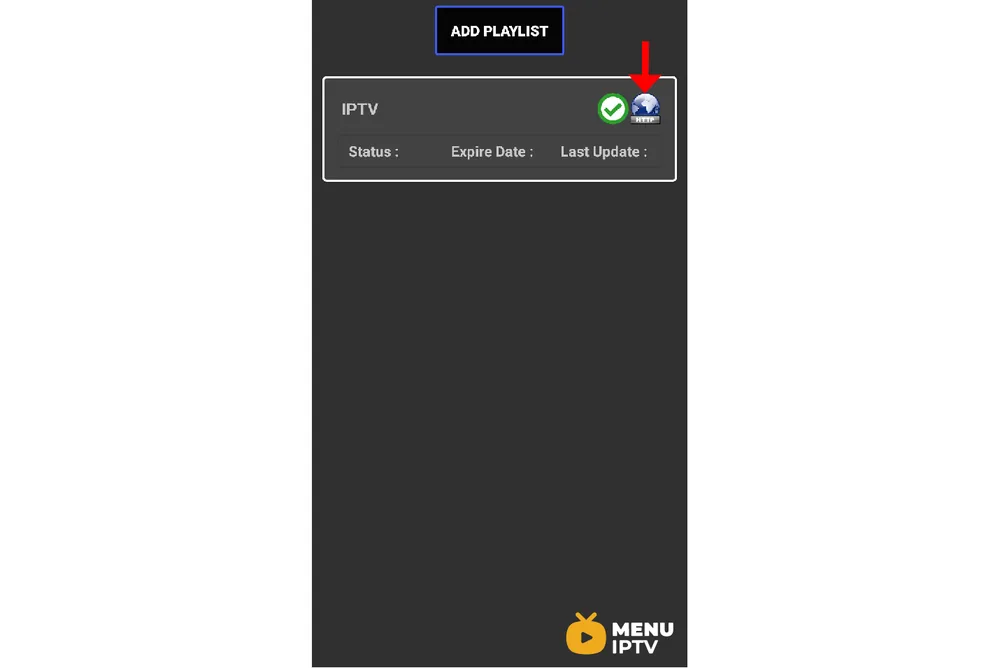
Step 9: Now click on the playlist you just added.
How to setup IPTV on IPTV Extreme
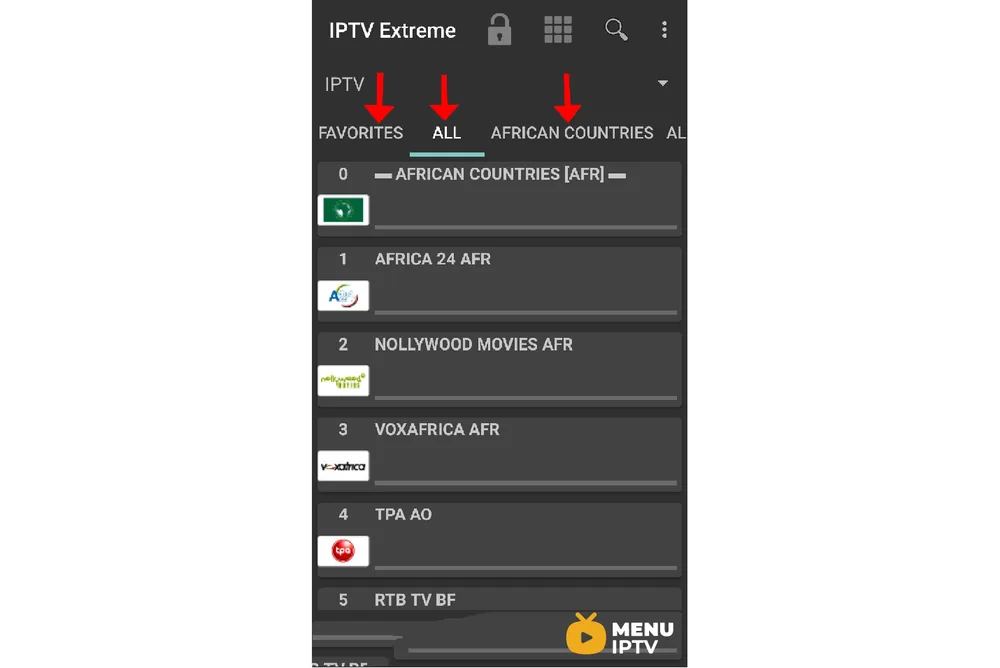
Step 10: Now you can select each channel group as depicted via red arrows and start streaming.
How to setup IPTV on IPTV Extreme

IPTV EXTREME PRO features

  • Integrated Player (Advanced & Light)
  • Chromecast Support (Beta)
  • Parental Control
  • Remote Controller support
  • Backup / Restore Settings
  • M3U playlists support
  • Multi EPG support (TV Guide)
  • Auto EPG update
  • EPG alias management
  • All the EPG providers are included
  • Picons support in different size
  • Ability to download On Demand Programs!
  • Ability to record Live Streaming with time limit!
  • More than 10 Themes available!
  • Time Recording
  • Timers Management
  • Autostart On Boot Function
  • Set Memo function for Events on TV Guide
  • Search for Similar Events on TV Guide
  • Sliding EPG time
 

Need an IPTV subscription for this device? Get the free 24h IPTV test from Menuiptv, then pick a plan from 38 € for 6 months.

Related IPTV guides

11 steps to update MAG

Sometimes the best way to fix an issue is to update the MAG box to the latest version of the released firmware . The below instructions will guide you…

Read more →

Unlock limitless entertainment: activate your premium IPTV subscription now!

Dive into a world of endless entertainment with our premium IPTV subscription – your gateway to limitless content awaits!