How to Setup IPTV on Enigma 2 via Autoscript?
Enigma2 is an open source software embedded on all the Linux based receivers such as VU+ or Dreambox. Enigma2 offers a lot of features including Auto-Bouquets, 7 Days EPG (Electronic Program Guide), and Picons (Channel Icons). This versatility makes it a popular choice for those looking to setup IPTV on Enigma devices.
Easy steps you have to take to know How to setup Setup IPTV on Enigma
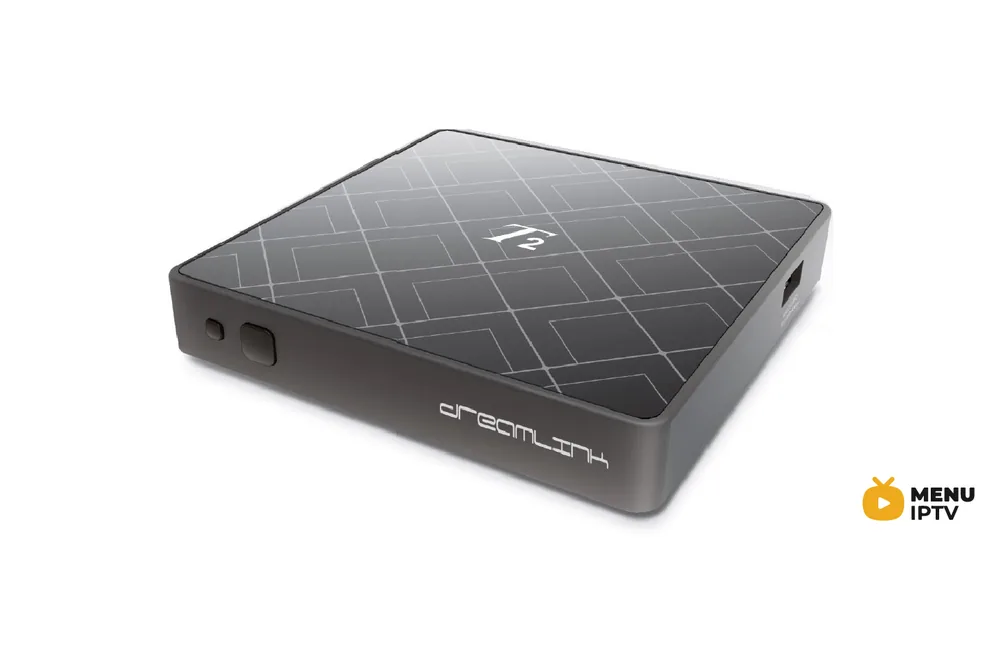
All older Vu+ hardware set-top boxes are MIPS-powered, newer are all ARM-powered and use Enigma2 image-based software as firmware. Its firmware is officially user-upgradable since it is a Linux-based computer, as opposed to third-party “patching” of alternate receivers. Firmware is based on Enigma 2 , which was originally designed for Dreambox by Dream Multimedia. When you want to know how to setup Setup , ensuring compatibility with these systems is essential.
How to add IPTV channels to Enigma2 via autoscript
Step 1: Start by downloading the necessary items. You must connect to your Enigma box using Dreambox Control Center E2 and click on “Telnet“. But first, you must find the IP address of your Enigma2 box. We will discuss this further ahead in this article.
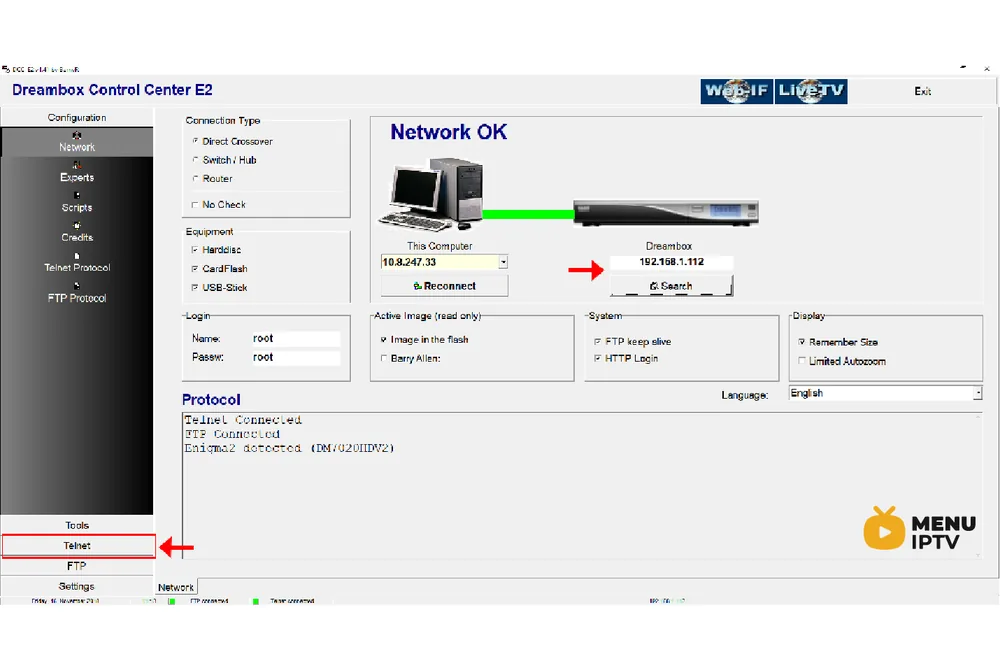
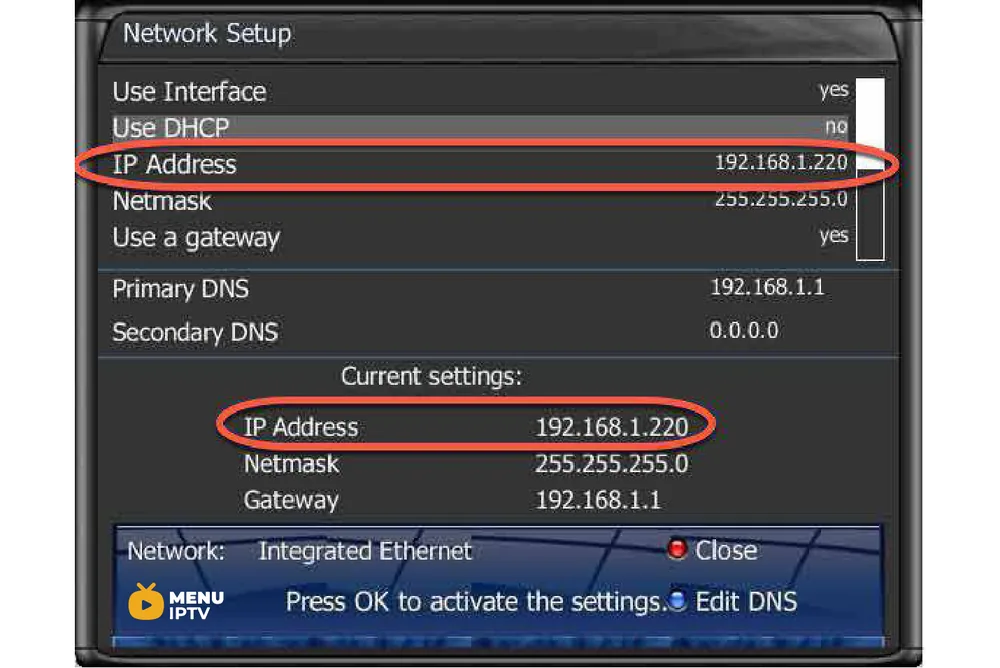
Step 2: To connect, we need to know the box IP address, username, and password (username and password usually is root/root). Now about the IP, click the Menu button on the remote controller. Go to Setting then Network Settings. You should see something like the below image:
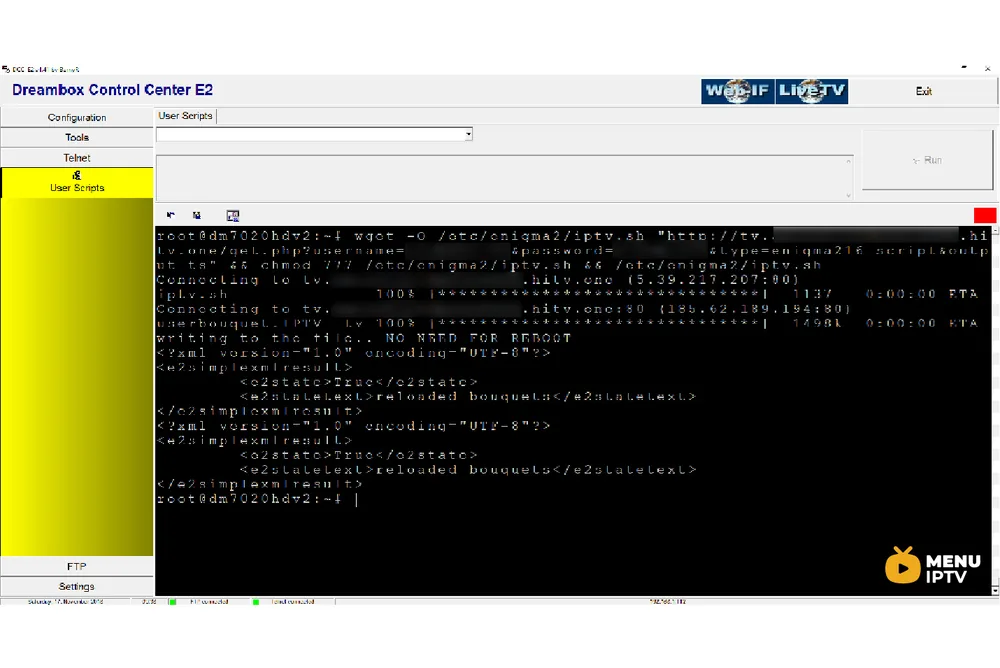
Step 3: Once connected to your box via Dreambox Control Center, it`s time to execute the Autoscript command which should be provided by your IPTV provider. These scripts can be given in two versions:
- – OE1.6 version which uses Python 2.6: It is advised to use this version on non-Dreambox receivers.
- – OE2.0 version which uses Python 2.7: It is advised to use this version on Dreambox receivers.
So for our Dreambox of this example, the command line should be like this:
wget -O /etc/enigma2/iptv.sh "http://tv.yourdns.com/get.php?username=your-line-username&password=your-line-password&type=enigma216_script&output=ts" && chmod 777 /etc/enigma2/iptv.sh && /etc/enigma2/iptv.sh
Copy/paste this command line on Telnet Terminal and hit enter.
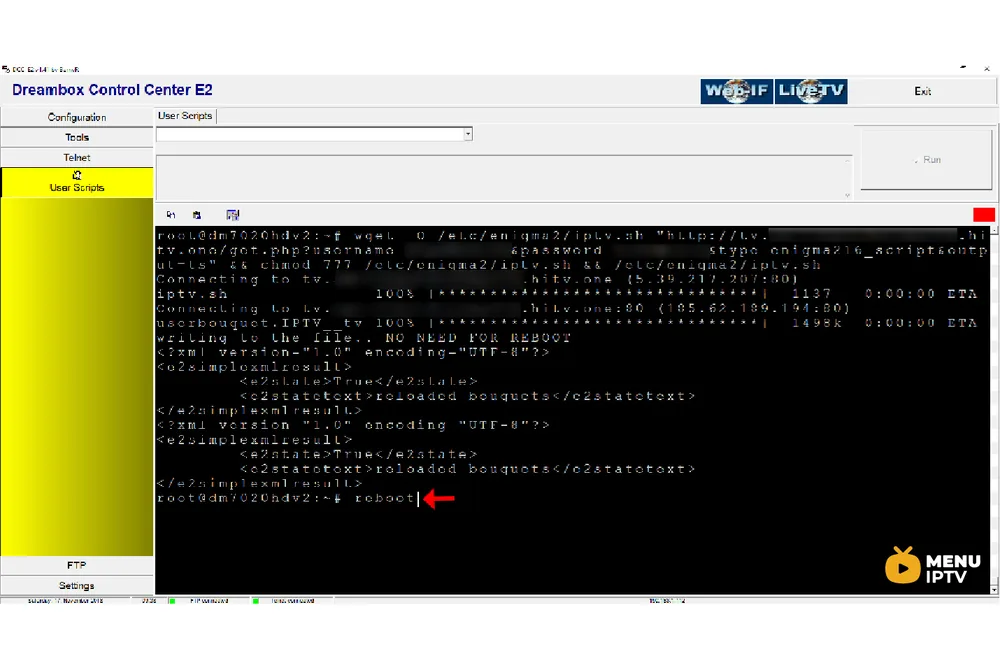
Step 4: We suggest everyone reboot the device once they execute the Autoscript command. To reboot the device just write “reboot” on Telnet terminal.
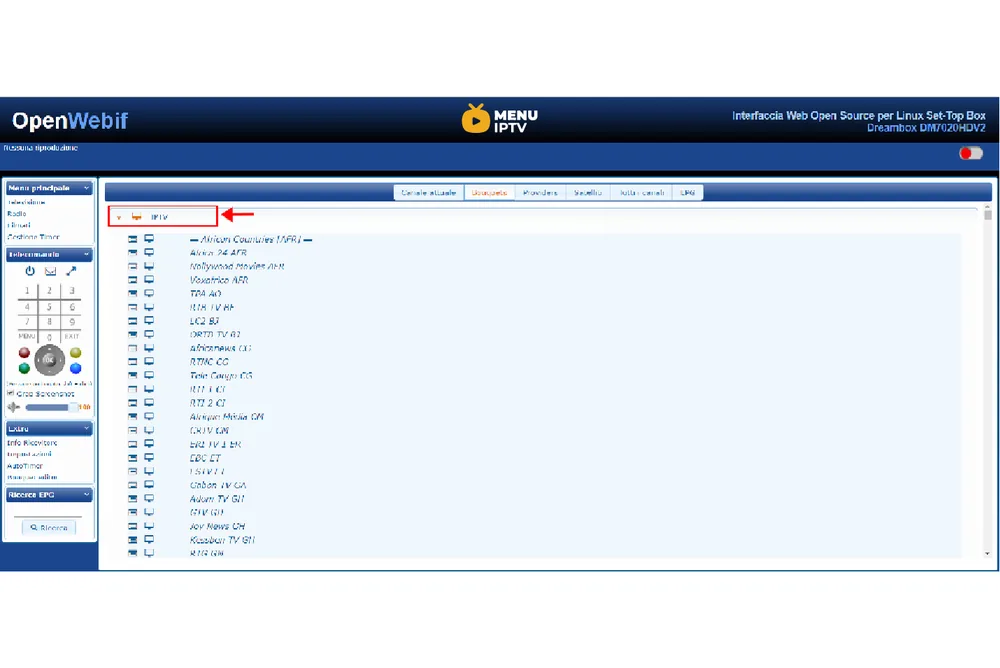
Step 5: After the Reboot, you will see on Bouquet list a new Group called “IPTV”.
Need an IPTV subscription for this device? Get the free 24h IPTV test from Menuiptv, then pick a plan from 38 € for 6 months.